
Free Trial and Subscribing to Projector Plus
Projector Plus uses WorshipStorm Cloud — your organization’s subscription is purchased and managed on the web, not through the App Store. One subscription is bought for your Planning Center Services Organization and covers everyone in it, on every device, with the Planning Center user who buys it named as its manager. Any Planning Center user in your organization can be that person — subscribing needs no particular permission level.
Projector Plus starts in Free mode
There is no trial to start and nothing to sign up for. When someone from your organization logs into Projector Plus for the first time, the app runs in Free mode and keeps running in Free mode until a subscription is purchased for the organization.
Free mode is a working presentation app, not a countdown. You can:
- browse your Planning Center service plans
- present slides, including to an external display or over AirPlay
- show the media already attached to a plan item — images, video, audio, and PDF or ZIP slideshows
- view song lyrics and arrangements
- use the built-in slide layouts
- work offline from a cached plan, including starting the app with no connection
Premium unlocks the production workflow around that: attaching new media from your Planning Center library, all editing (lyrics, slide breaks, sequences, custom slides), custom layouts, adding songs to a plan with Quick Song, item settings such as looping, Sessions, the congregant Viewer broadcast, and in-app support requests.
The split is finer than a feature list suggests, and it follows one idea: presenting a service someone has already prepared is free; changing what is in it is premium. Most premium screens still open read-only, so you can look without subscribing. See What’s free and what’s premium for the exact line in each screen.
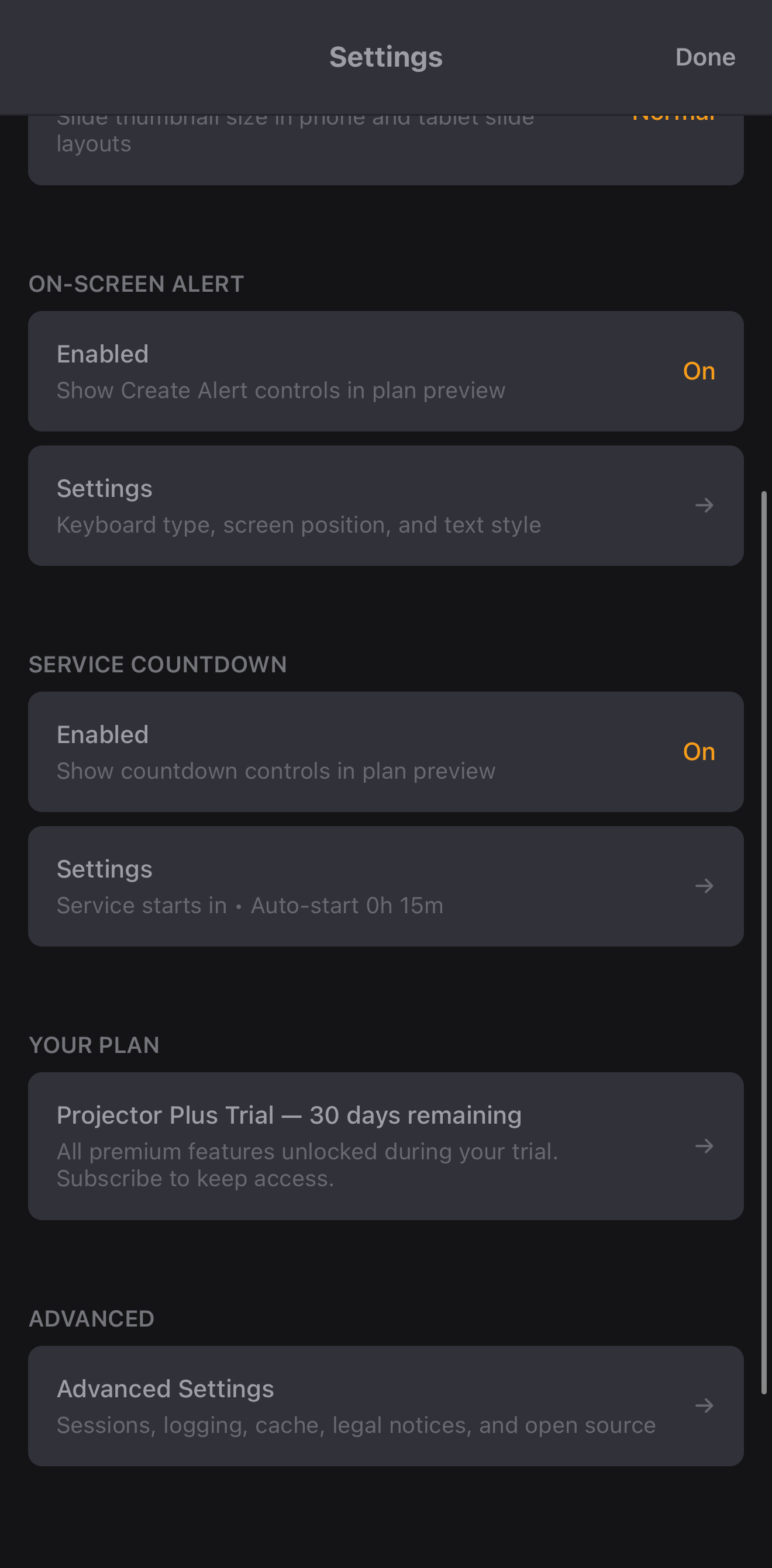
In Settings, the Your Plan row reads Projector Plus Free while you are on the free tier.
The upgrade prompt
While in Free mode, Projector Plus shows an upgrade screen when you log in and when the app returns to the foreground — at most once every four hours, so it cannot interrupt you repeatedly during a service.
The screen is headed Start Your Free 30-Day Trial and offers Subscribe Now, Already Subscribed? Refresh Status, and Continue in Free Mode.
Dismiss it with Continue in Free Mode. Projector Plus keeps running and you keep everything in the free list above. You are never logged out or locked out for declining to subscribe.
The screen also carries Already Subscribed? Refresh Status — use that if someone else in your organization has just subscribed and this device has not caught up yet.
Subscribing
Tap Subscribe Now from the upgrade screen, or open Settings → Your Plan. Projector Plus opens checkout at subscribe.worshipstorm.com in a separate window, with Projector Plus still open behind it — you sign in with Planning Center and choose monthly or annual. When checkout completes, every device in your organization picks up the active subscription the next time it syncs.
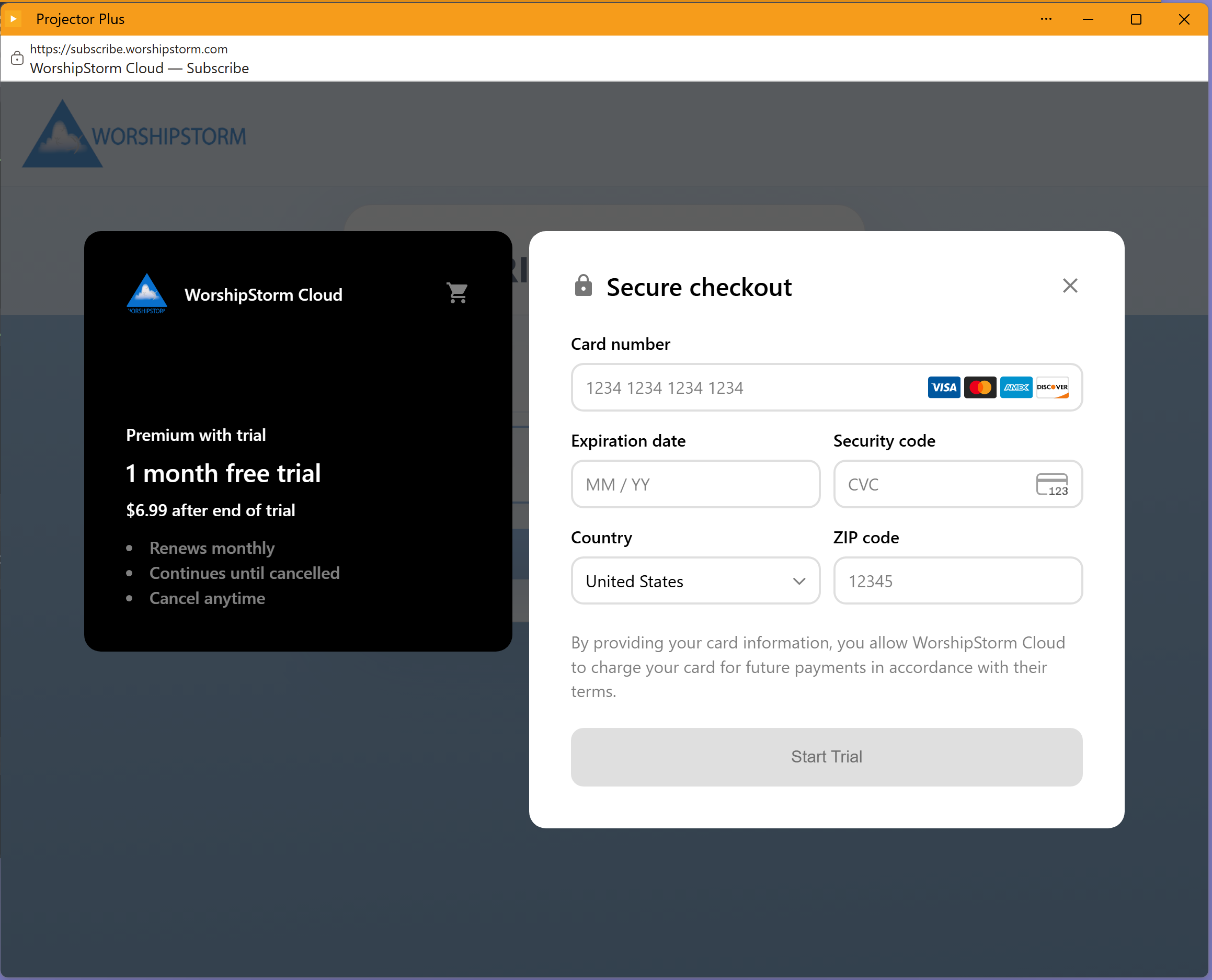
Checkout states the trial and what happens after it — 30 days free, then the plan price, renewing at the interval you chose until canceled. The button reads Start 30 days free rather than anything about paying today, because nothing is charged until the 30 days end.
Because billing is handled on the web, there is no Apple ID requirement and no iCloud Drive requirement — those applied to the old App Store purchase flow only.
On iPhone, iPad and Android
Subscribing stays on the web, and the phone and tablet apps pick the subscription up on their own. Sign in on a phone with a subscribed organization and premium is simply there — there is nothing to buy again, restore, or match up per device.
Two things follow from that, worth knowing before you go looking for them:
- The upgrade screen above does not appear on those apps. Free mode on a phone or tablet is just free mode; nothing prompts you.
- Subscribing and managing both live in Projector Plus in a browser, which is where checkout runs.
If someone in your organization has just subscribed and a phone or tablet has not caught up, open Settings → Your Plan and tap Already Subscribed? Refresh Status.
The 30 days come with the subscription
If your organization has never had a trial, subscribing includes a free 30-day trial on either plan, monthly or annual. You are not charged until those 30 days end.
It is a literal 30 days, not a calendar month — subscribe on 23 August and it ends on 22 September. The length is the same whichever month you start in, so in a 31-day month it ends a day before the date you started.
This is the only way a Projector Plus trial starts — it is part of buying a subscription, not something granted in advance.
A few things worth knowing about it:
- It converts on its own. At the end of the 30 days the subscription simply begins billing. There is nothing to do to keep it, and no second checkout.
- You can cancel during the trial. Manage it the same way as any subscription — see Managing the Projector Plus Subscription.
- One per organization. If your organization has already used its free trial, checkout offers the standard plans and billing starts right away.
While the trial is running, Settings shows Projector Plus Trial — N days remaining, and tapping it opens the trial details:
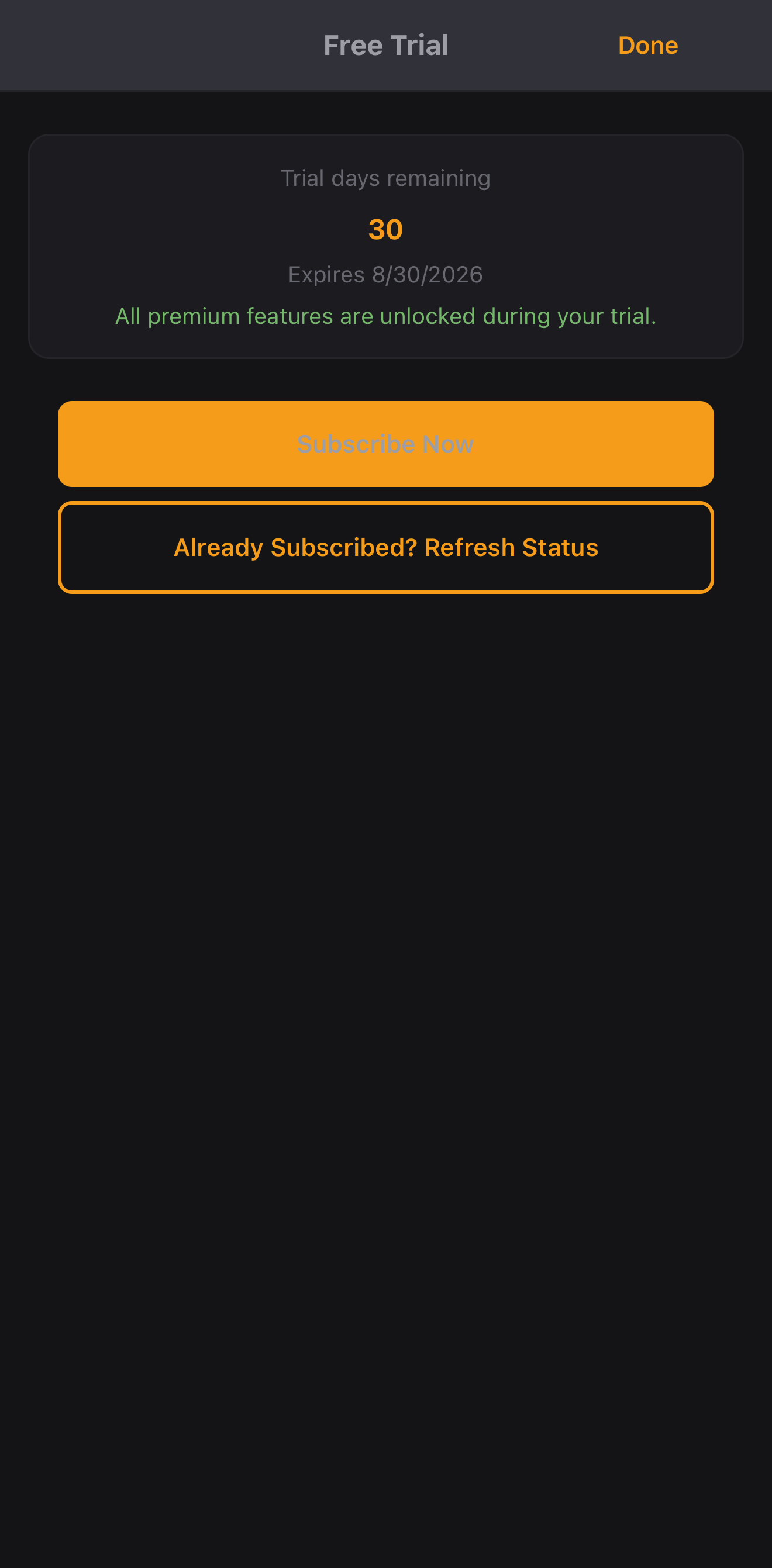
The trial belongs to the organization, not to a device or a person — logging in on a second iPad doesn’t start a second one.
If a subscription lapses
If a subscription is canceled or a payment fails, a 28-day grace period begins and premium keeps working throughout it — the app warns you, but nothing is locked, so a declined card cannot interrupt a service. Renew inside that window and there is no loss of access at all.
If the grace period ends without a renewal, Projector Plus returns to Free mode. The app keeps working, your plans are still there, and the upgrade prompt reappears on login and on wake. Nothing is deleted, and any custom layouts on your plan items fall back to the built-in layouts until you subscribe again.
Note that this grace period applies to a paid subscription, not to the free trial — a trial that ends without converting moves to Free mode straight away.
See Subscription lifecycle for what each state looks like, and Subscription Troubleshooting if something goes wrong.