
Subscription lifecycle: what each state looks like
Your organization’s subscription state is always visible in Settings → Your Plan. This article shows what each state looks like on the device, so you can tell at a glance where you stand.
The state belongs to your Planning Center organization — not to a device or a person — so everyone on your team sees the same thing.
Free
No subscription. Projector Plus works as a presentation app; the production workflow is locked. See What’s free and what’s premium.
Trial
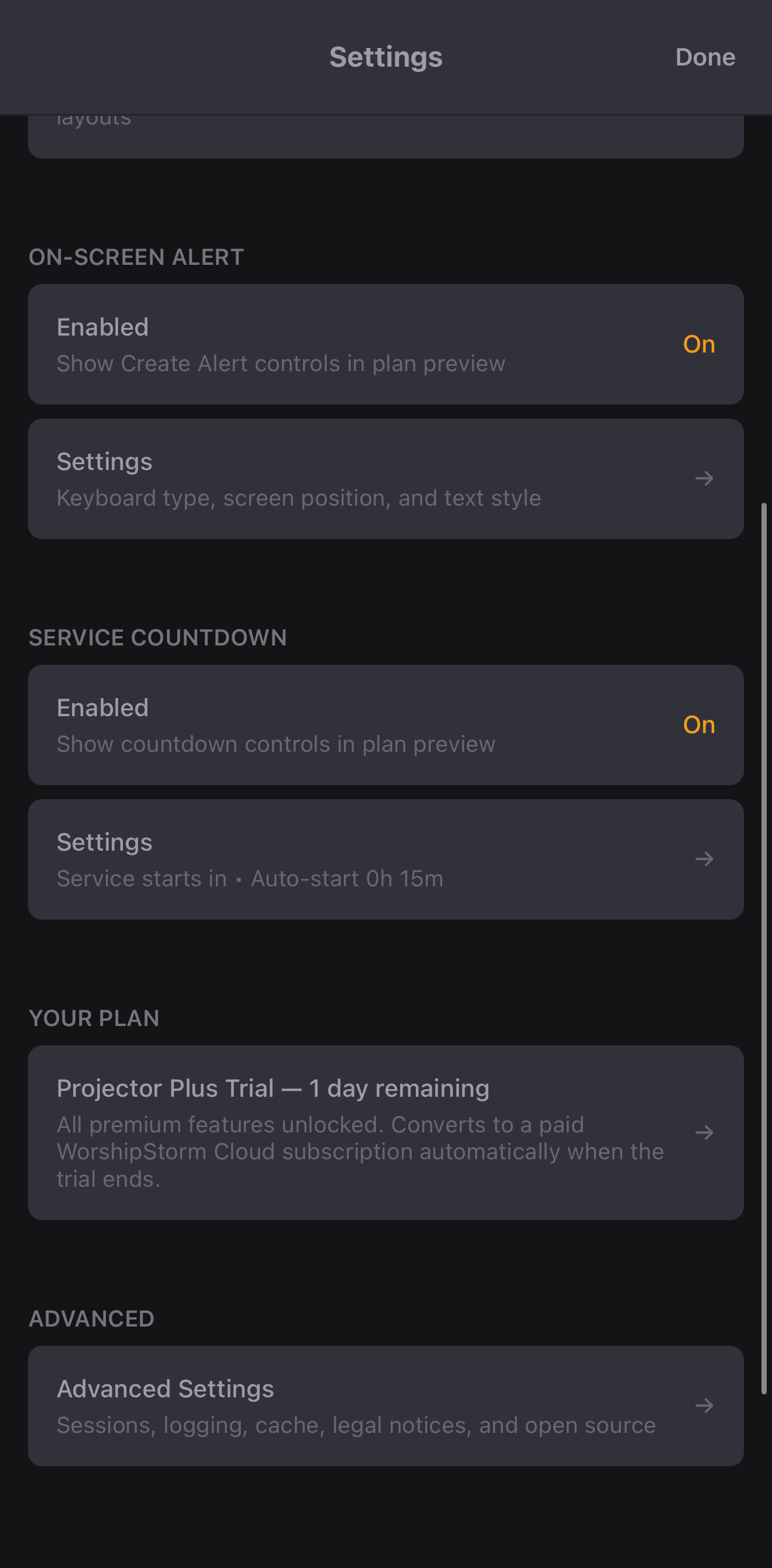
If your organization has never had a trial, subscribing includes 30 days free. During them, Settings counts down the days remaining:
Tapping the row shows the details:
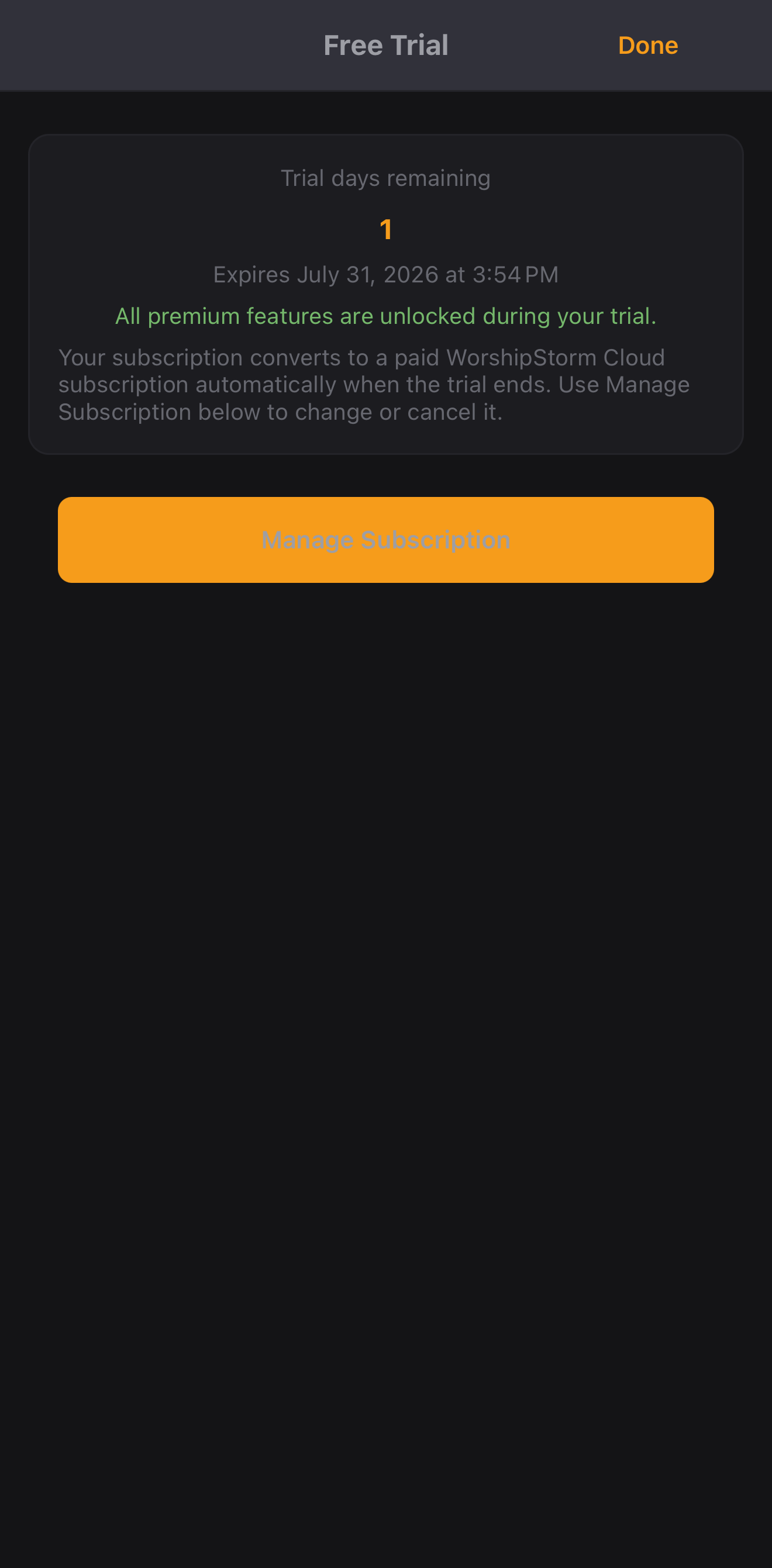
Two things worth knowing about this state:
- Everything is unlocked. A trial has the same access as a paid subscription.
- It converts on its own. At the end of the 30 days billing simply begins. There is no second checkout and nothing to confirm — and equally, if you do not want it, cancel before they are up.
Subscribed
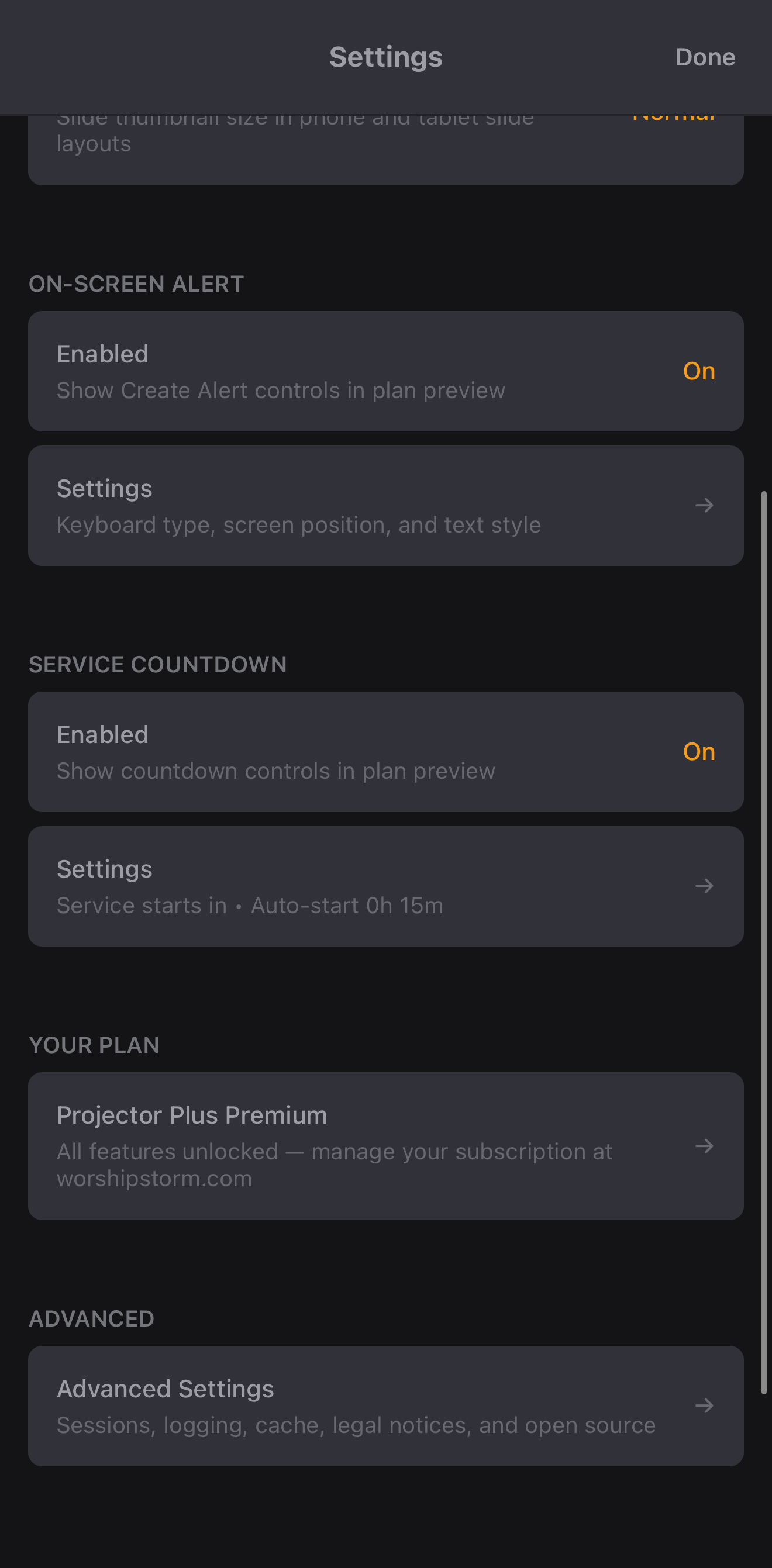
An active subscription. Settings shows the plan:
The details screen shows the current plan, the billing email address on the account, and the renewal date:
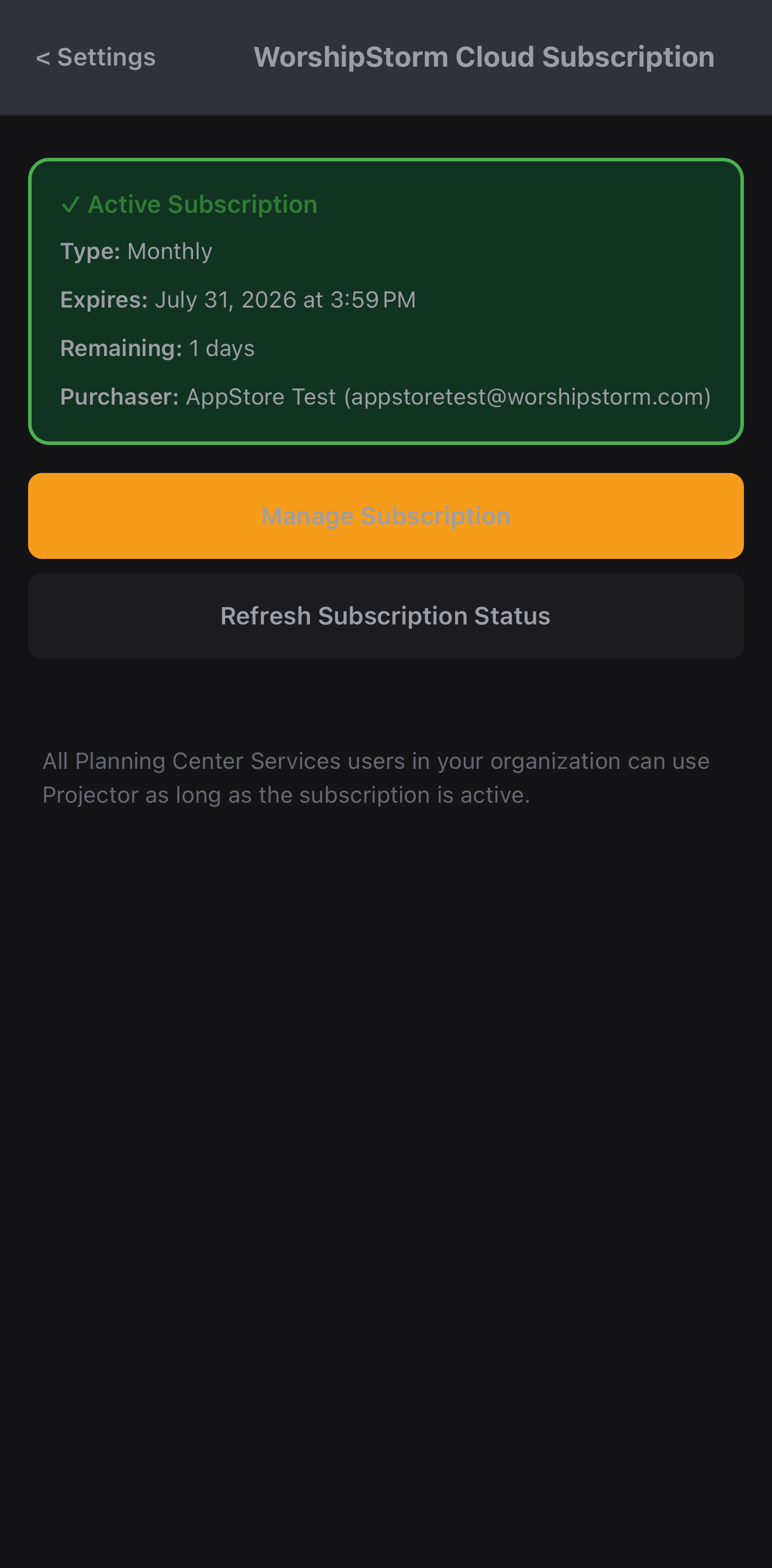
The billing email is worth noting — it identifies who set the subscription up, and it is where the sign-in link goes when someone opens the customer portal. See Managing the Projector Plus Subscription.
Expired — during the grace period
If a subscription is canceled or a payment fails, a 28-day grace period begins. The important thing about it:
Because nothing is locked, Settings → Your Plan still reads Projector Plus Premium — All features unlocked. That is correct, not a stale screen:
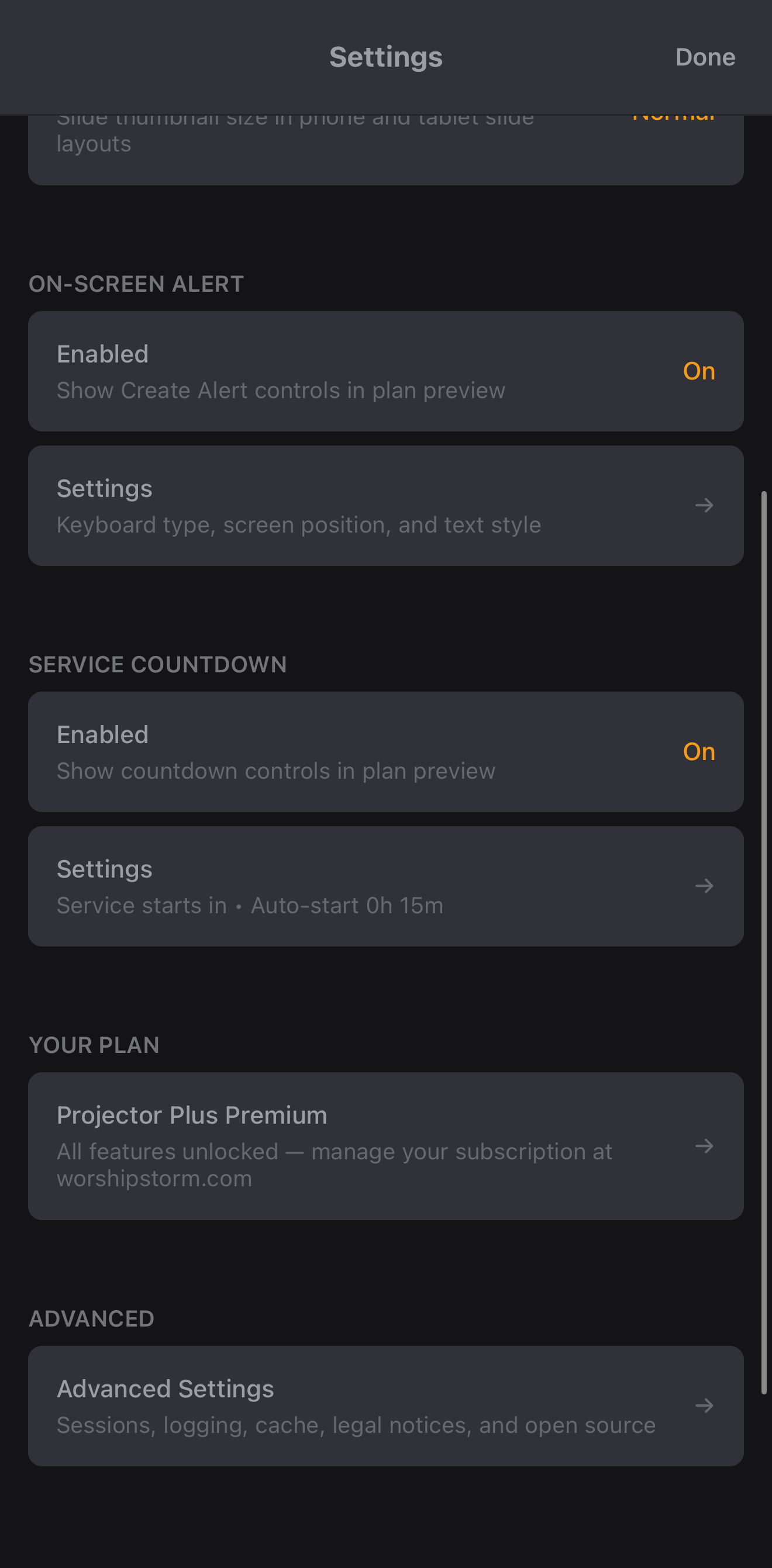
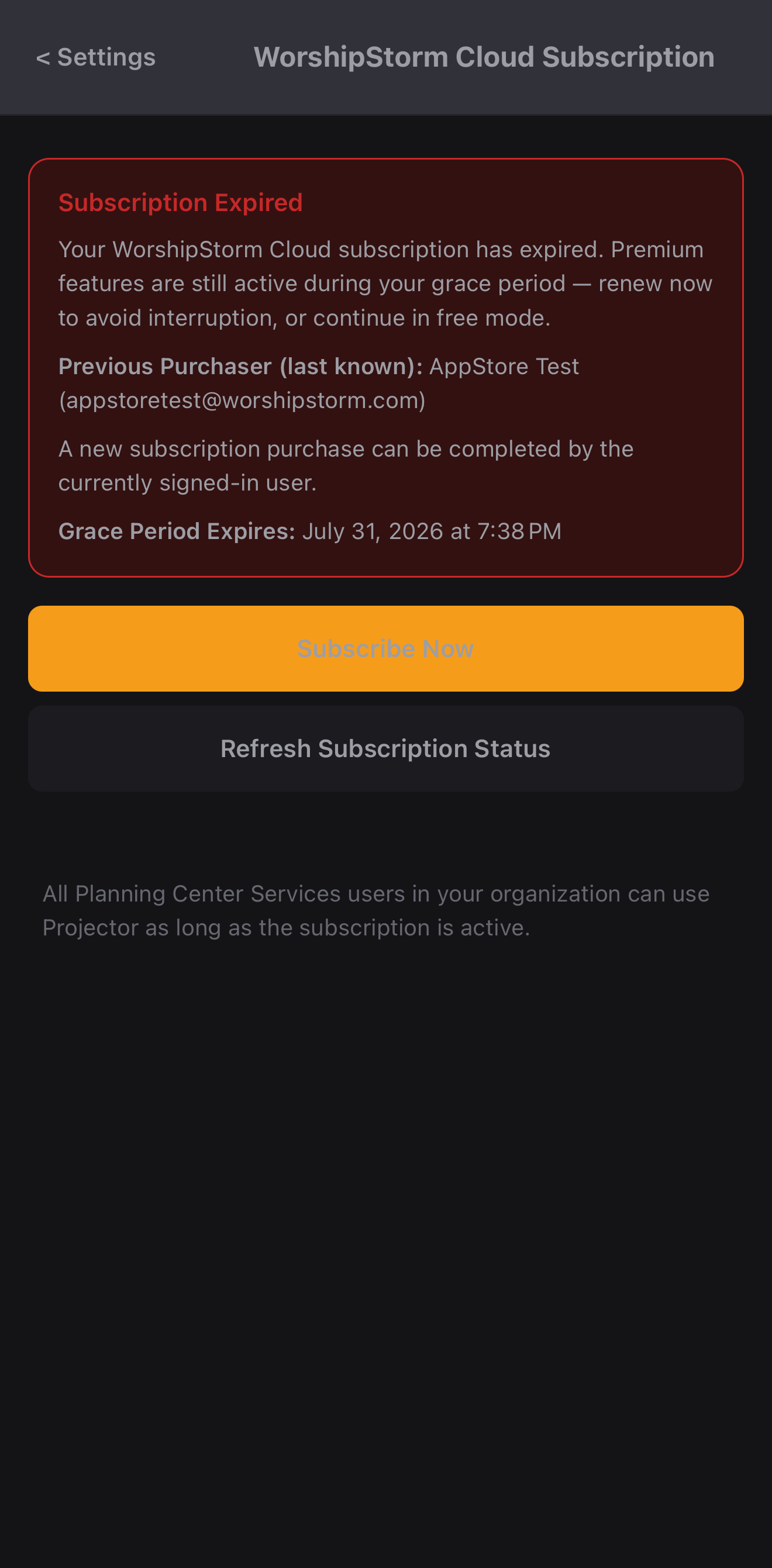
Tapping through is how you find out. The details screen is the surface that changes — it shows Subscription Expired and the exact date access ends:
Projector Plus also raises a reminder on sign-in and on wake, at most once every four hours. It says plainly that premium is still active and asks you to renew before it isn’t — and it can be dismissed with Continue for Now.
Fix it during these 28 days and nothing is ever interrupted. Update the payment method or re-subscribe and the grace period simply ends; no feature was lost in between.
Free again — after the grace period
If the 28 days pass without a renewal, Projector Plus drops to the free tier:
- The app keeps running. You can still browse plans and present slides. See What’s free and what’s premium.
- Nothing is deleted. Your plans and media come from Planning Center and are untouched. Custom layouts already applied to items fall back to built-in layouts until you subscribe again.
- You are not signed out. Not when the subscription expires, not when the grace period ends, and not later.
- The upgrade prompt continues on sign-in and on wake, at most once every four hours.
Getting back to premium
Update the payment method or re-subscribe from the customer portal, and Projector Plus picks it up within seconds — there is no need to sign out, restart, or reinstall. If one device is still showing the old state, check that it has an internet connection, since subscription status cannot refresh offline.
If you have paid and Projector Plus still shows the wrong state, see Subscription Troubleshooting before purchasing anything again.