
Projector Plus Subscription Troubleshooting
The portal sign-in email didn’t arrive
Projector Plus opens the customer portal by emailing a sign-in link to the billing address on the account — there’s no password.
- Check the spam or junk folder.
- Confirm the address. Settings -> Your Plan shows the billing email the link was sent to.
- Church mail servers sometimes hold mail from new senders for a few minutes. Wait, then request the link again.
- If the billing address belongs to someone who has left the church, you can’t retrieve the link yourself — contact WorshipStorm support and we’ll work out how to get you access. Don’t start a second subscription in the meantime.
Payment failed and the subscription expired
When a subscription lapses, Projector Plus shows a Subscription Expired screen with a Subscribe Again option. The screen states the reason — usually a canceled subscription or a declined payment.
Premium keeps working. A 28-day grace period starts at the moment the subscription lapses, and during it nothing is locked: editing, attaching new media, custom layouts, Quick Song, Sessions and Viewer broadcast all continue exactly as before. The expired notice is a warning, not a lockout — that is why it offers Continue for Now alongside the subscribe button. Settings -> Your Plan still reads Projector Plus Premium — All features unlocked for the same reason.
To see exactly how long you have, open Settings -> Your Plan. The screen shows a Grace Period Expires date:
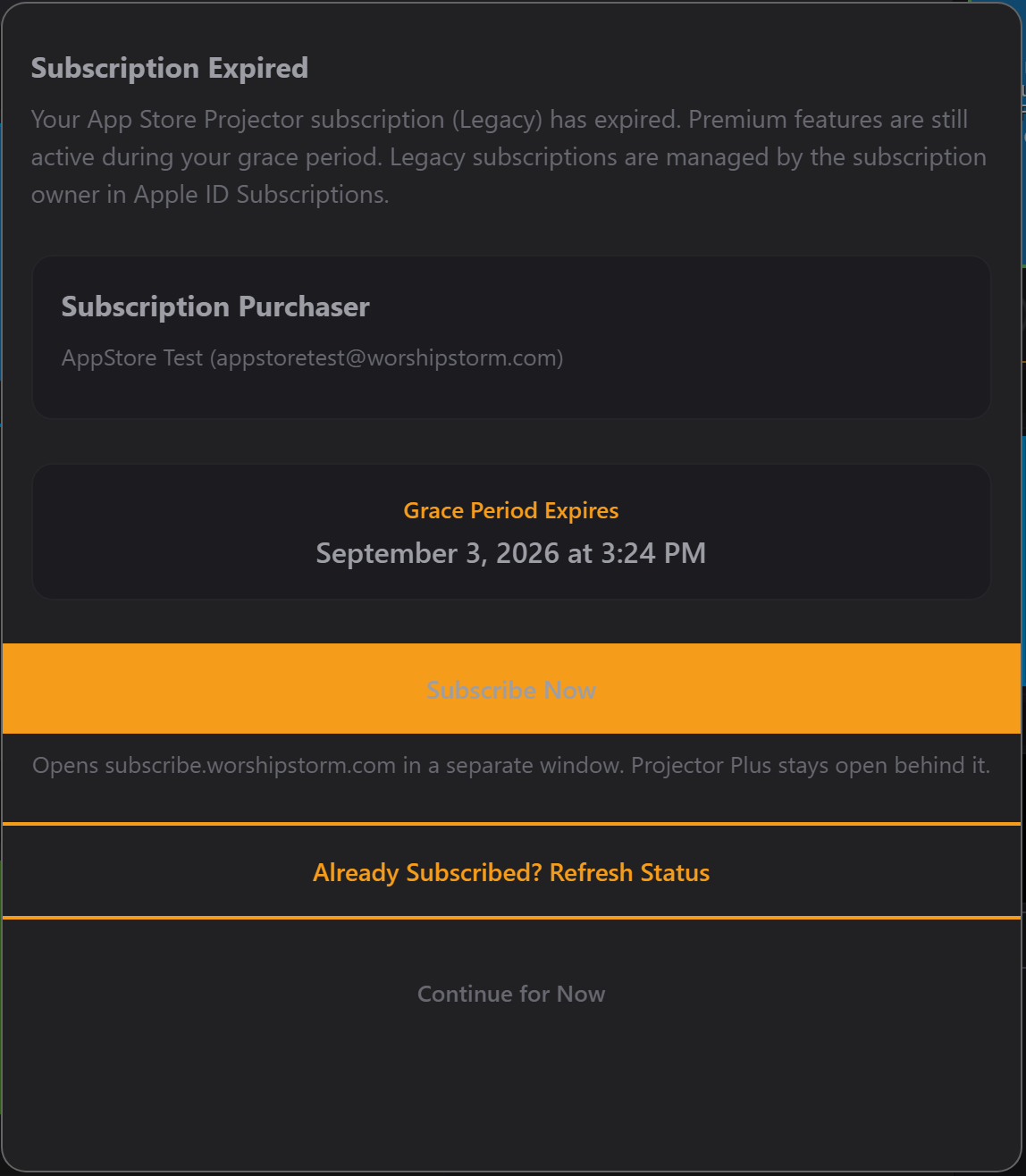
Note Continue for Now at the bottom — during grace the screen is a warning you can dismiss, not a wall.
Fixing it
The usual cause is a card that expired. Open Settings -> Your Plan and use Subscribe Now.
Projector Plus picks the new subscription up within seconds, without a restart. Do this inside the 28 days and nothing is ever interrupted.
If the lapsed subscription was an App Store one bought through Projector Classic, renew it through Apple instead — Settings -> Apple Account -> Subscriptions on iOS/iPadOS — since Projector Plus cannot manage an Apple subscription. See Managing the Projector Plus Subscription.
If the 28 days pass without a renewal, Projector Plus moves to the free tier: plan browsing and slide presentation continue, the premium workflow locks, and custom layouts already applied to plan items fall back to the built-in layouts.
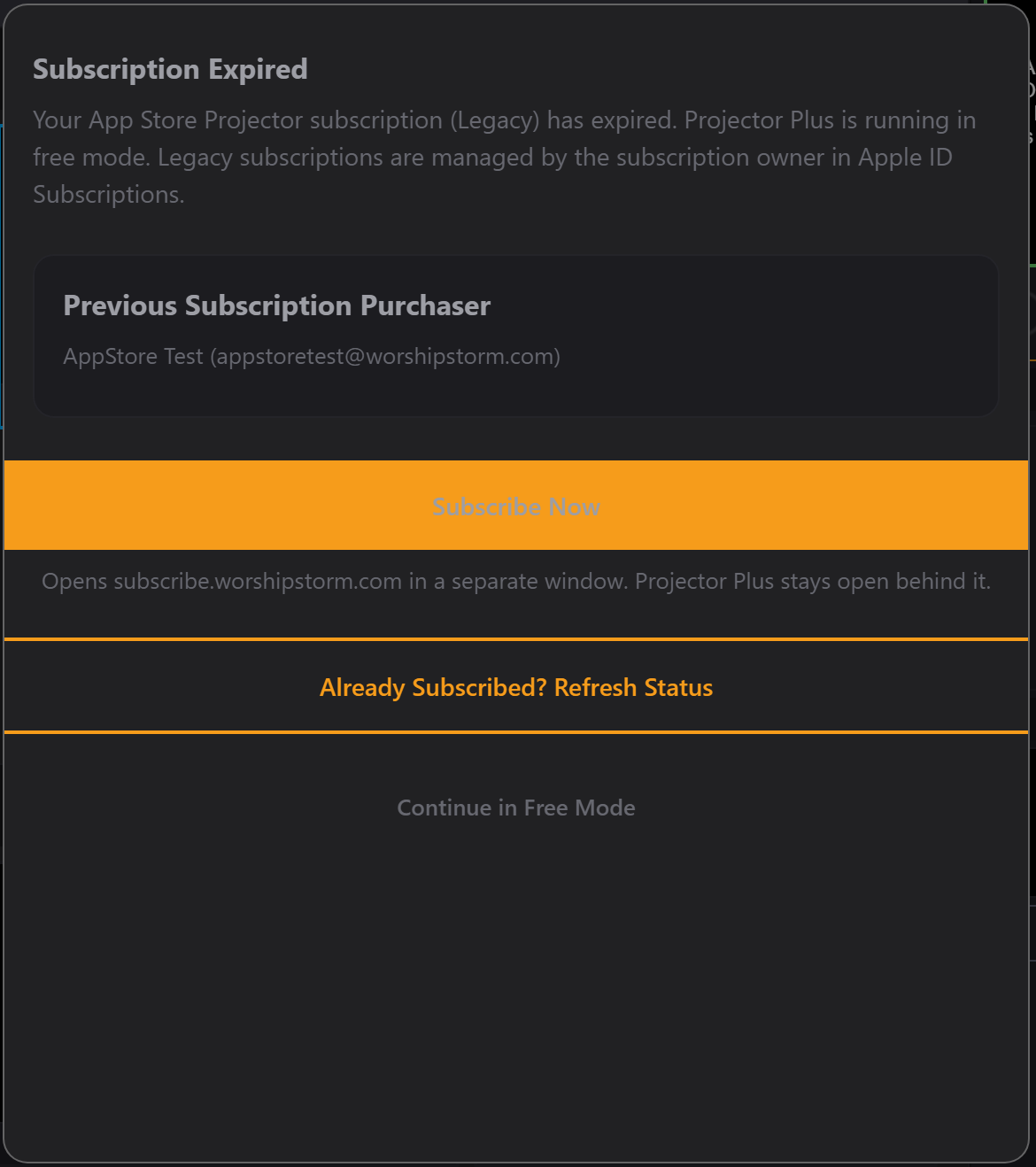
The screen looks similar but says something different: running in free mode rather than premium still active, no grace date, and the dismiss button now reads Continue in Free Mode. That pairing is the quickest way to tell which side of the 28 days you are on. You are not logged out — not when the subscription expires, not when the grace period ends, and not later. Projector Plus keeps running on the free tier indefinitely, the upgrade prompt keeps appearing on login and on wake, and your plans and settings are untouched.
See Subscription lifecycle for what each state looks like on the device.
We subscribed, but a device still says the trial expired
The subscription belongs to your Planning Center Services Organization, and each device picks it up when it syncs. If one device is behind:
- Use Already Subscribed? Refresh Status on the upgrade screen — it is on the same prompt that is asking you to subscribe, and it re-checks immediately. This is the quickest fix and usually the only one needed.
- Confirm the device is signed in to the same Planning Center Services organization.
- Confirm it has an internet connection — subscription status can’t refresh offline.
- Restart Projector Plus on that device.
We already pay for Projector Classic — do we pay twice?
No. App Store subscriptions purchased through Projector Classic are honored in Projector Plus, Premium features included, and you can stay on one indefinitely. Don’t purchase a WorshipStorm Cloud subscription on top of one; if Settings shows an active App Store subscription, you’re covered. See App Store subscriptions from Projector Classic.
If Projector Plus is asking you to subscribe even though you have an active Classic subscription, contact WorshipStorm support before purchasing — that’s a mismatch we need to fix, not something to solve by buying again.