
The back row can read along
WorshipStorm Viewer puts the words you are presenting onto your congregation's own phones. No app for them to install, and nothing is broadcast until you say so.
Every room has seats where the screen does not really work. The back row. The overflow space. The side section behind a pillar. A bright sanctuary at eleven o’clock, or an outdoor service in August where the projector loses to the sun.
WorshipStorm Viewer puts the words you are already presenting onto those people’s own phones.
What it looks like from the front
Viewer is a premium feature of Projector Plus. You start it deliberately, for a service, from the app you are already running. Projector Plus shows a join card with a QR code and a short code:
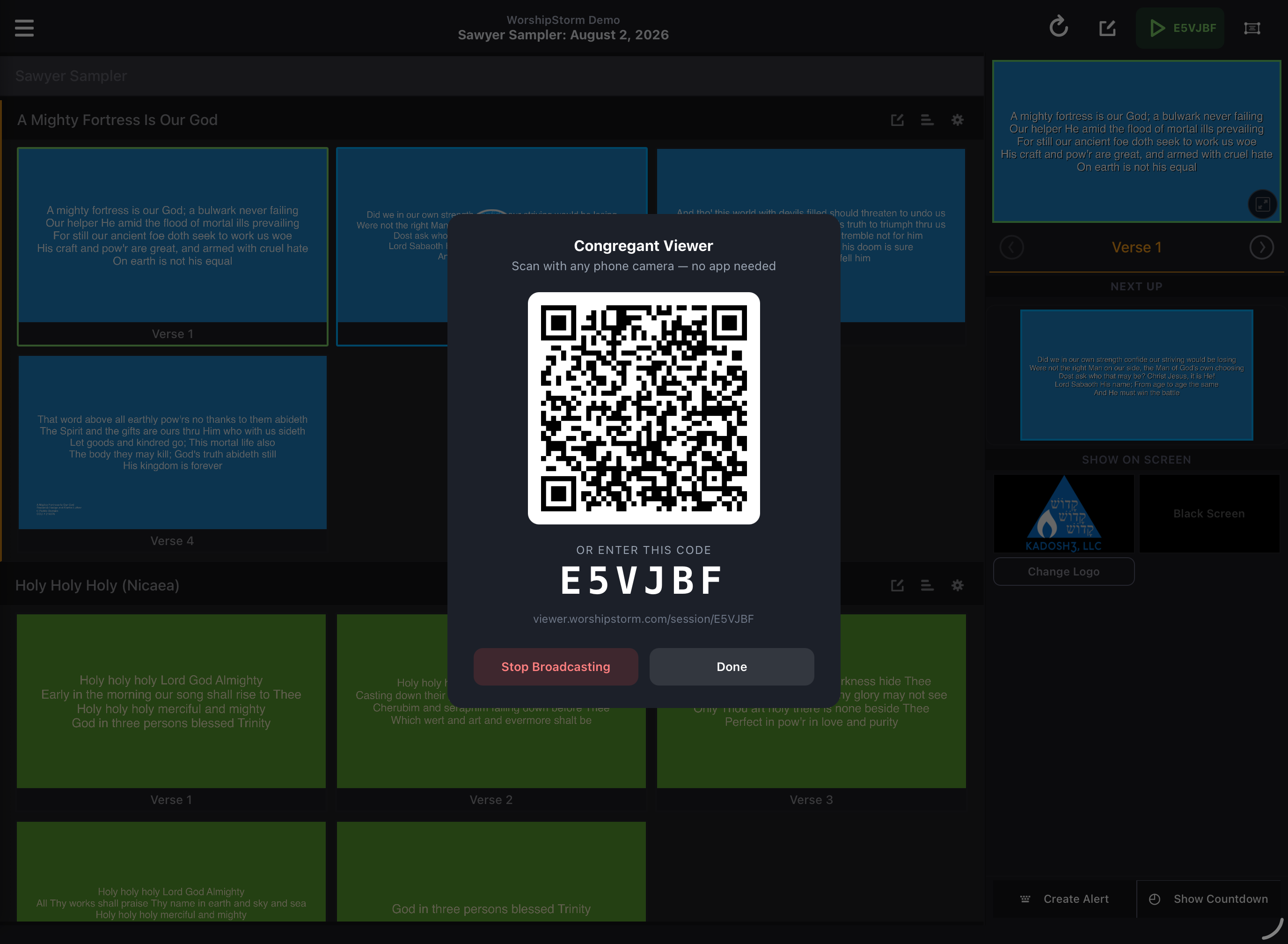
Put that on the main screen before the service, or on a slide in your pre-service loop, and people join at their own pace. Two ways in, and neither involves an app store:
- Scan the QR code with the normal camera app on any phone.
- Type the short code at the address on the card, for anyone whose camera will not cooperate.
No account, no sign-in, nothing to install.
What it looks like from the back row
They see the lyrics of the slide you are presenting, set for a phone rather than as a copy of your projected output — the line breaks will differ from the big screen, because a phone in portrait cannot hold the lines a projector can.
They do not see your backgrounds, your plan, or anything else inside Projector Plus. Only the words.
Two behaviors matter more than they sound:
- Blacking the main screen blacks the phones too. If you cut to your logo or to black between songs, the phones follow. Nobody is left reading lyrics you have deliberately taken off the wall.
- Anyone can read ahead or look back without affecting a single other person, and get back to the live slide with one tap. Reading ahead or looking back is the page to point people at.
Nothing is broadcast until you say so
This is worth being plain about, because it is the first question a thoughtful person asks.
Opening the Congregant Viewer screen puts nothing online. Projector Plus says so before your first broadcast, in as many words: nothing is shared until you tap Start Broadcasting. It is never running quietly in the background, and you stop it the same way you started it.
Who this is actually for
It is easy to file this under “nice extra” and move on. In practice it tends to get used by a narrower group than expected, and used every week:
- someone with poor distance vision who has stopped trying to read the screen
- the overflow room, where the feed is audio-only or the angle is wrong
- parents standing at the back with a toddler, side-on to everything
- a hall you rent, where the projector was never really bright enough
None of them are going to raise it. That is rather the point.
Setting it up
Congregant Viewer walks through a first broadcast from the operator’s side. There is also a separate help section written for congregants — plain language, no jargon — that you can link from a bulletin or put on a slide.