
Congregant Viewer: lyrics on your congregation's phones
Projector Plus can broadcast the lyrics you are presenting to your congregation’s own phones. They follow along in a browser — there is no app for them to install.
This is useful when the screen is hard to see: an overflow room, a back row, a bright sanctuary, an outdoor service, or anyone who would simply rather read the words up close.
Before you start
The first time you use it, Projector Plus explains what is about to happen:
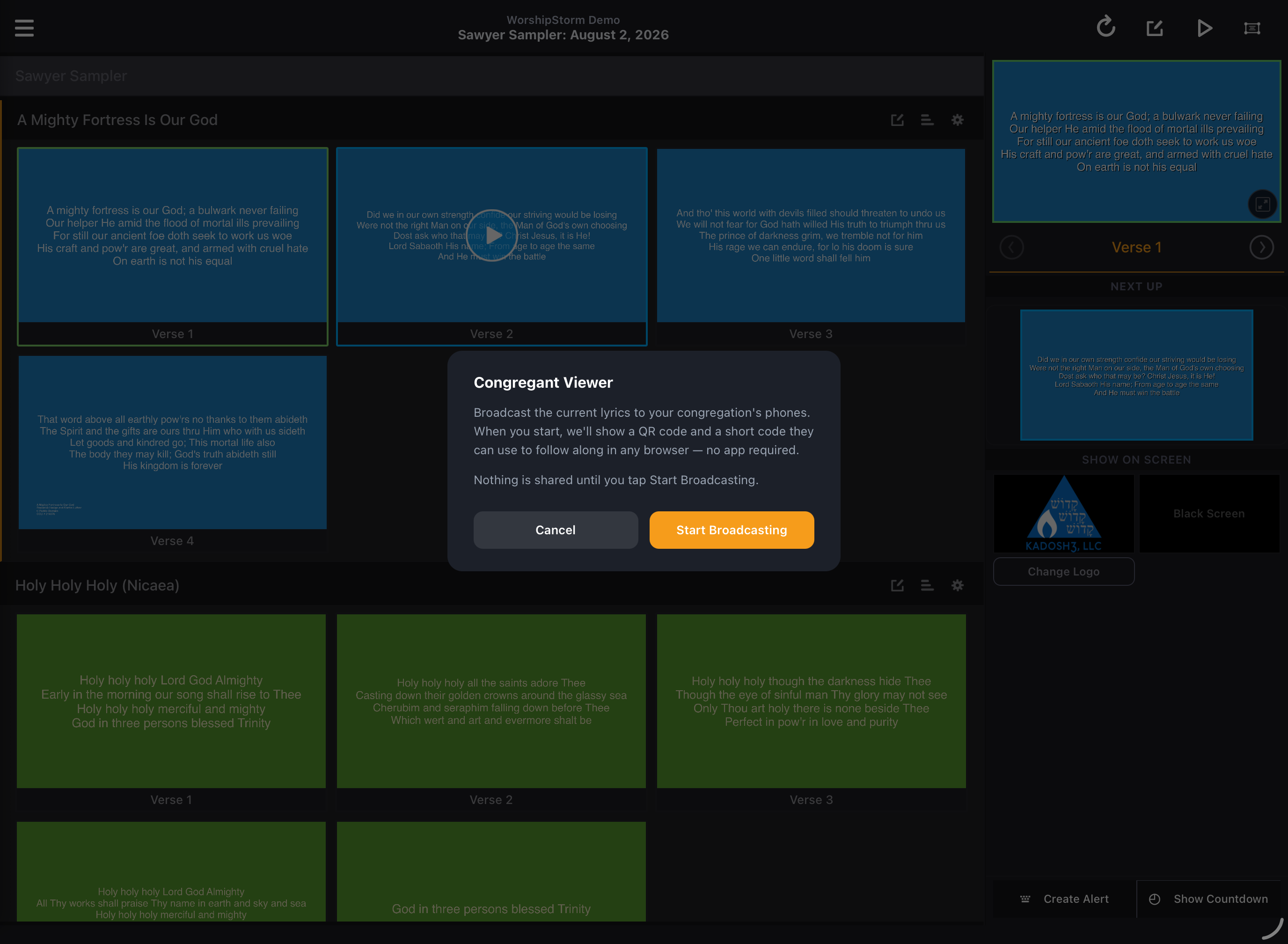
Broadcast the current lyrics to your congregation’s phones. When you start, we’ll show a QR code and a short code they can use to follow along in any browser — no app required.
Nothing is shared until you tap Start Broadcasting.
That last line is the important one. Opening this screen does not put anything online.
Starting a broadcast
Tap Start Broadcasting. Projector Plus shows a join card with a QR code and a short code:
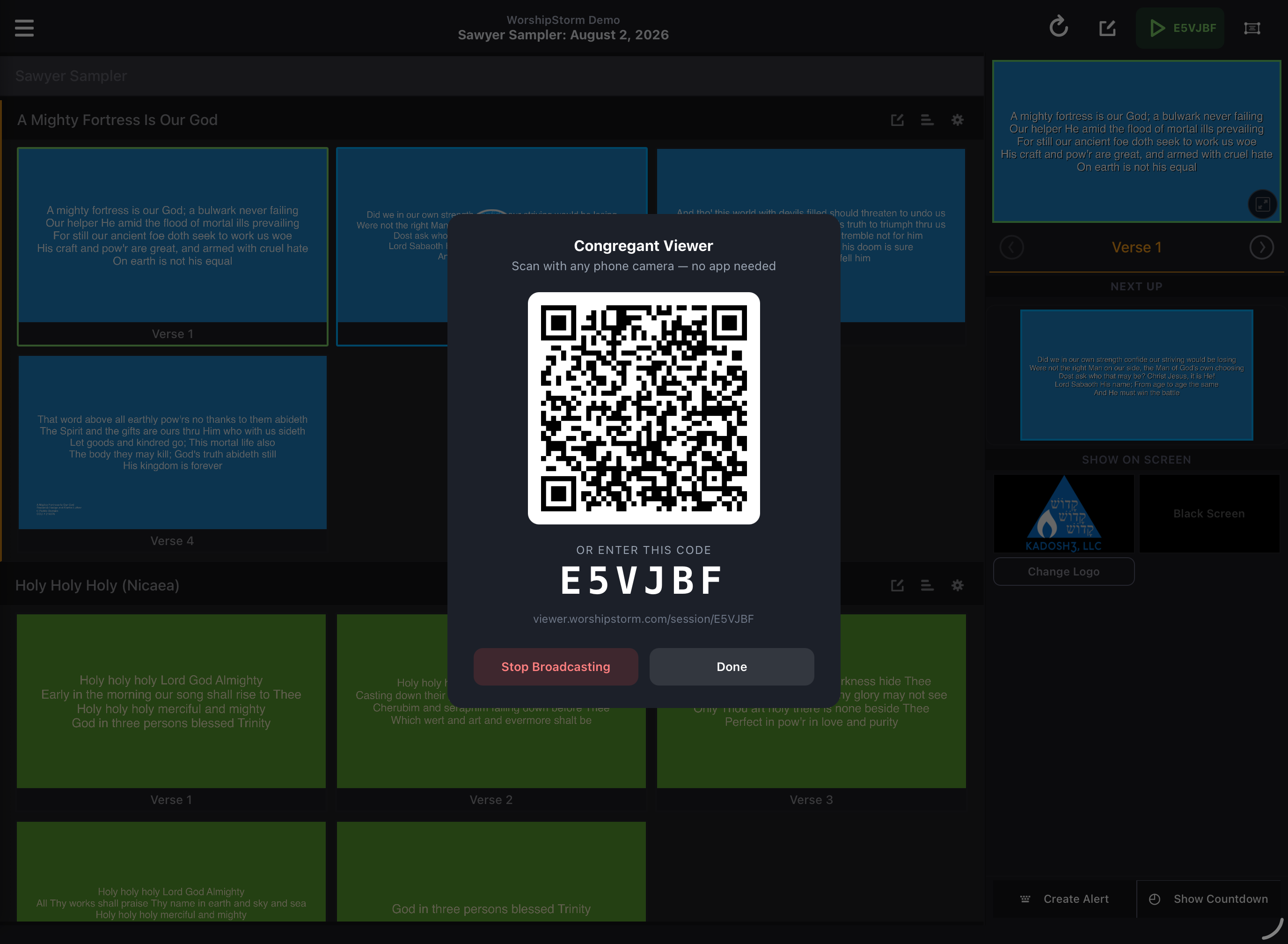
Your congregation can join in either of two ways:
- Scan the QR code with the normal camera app on any phone. It opens a web address — nothing to install, no account, no sign-in.
- Type the short code into the address shown on the card, for anyone whose camera will not scan.
Put the join card on your main screen before the service starts, or on a slide in your pre-service loop, and people can join at their own pace.
To finish, tap Stop Broadcasting.
What your congregation sees
They see the lyrics of the slide you are presenting, styled for a phone rather than a copy of your projected output. Line breaks will differ from the big screen — that is deliberate, because a phone in portrait cannot hold the same lines a projector can.
They do not see your backgrounds, your plan, or anything else in Projector Plus. Only the words.
Your logo and black-screen buttons blank the congregant view too. If you black the main screen between songs, the phones follow. Nobody is left reading lyrics you have taken off the wall.
Things worth knowing
It works on its own. The Congregant Viewer does not require Sessions. A single operator with one device can broadcast.
It will not start while you are offline. Rather than showing a join card that could never work, Projector Plus tells you it needs a connection. Worth checking your wifi before the service rather than at the top of the first song.
People can pass it on. Anyone already following can share the session with others near them, using the same QR-and-code card. You share with a few people at the front; it spreads through the room from there.
People can read at their own pace. A congregant can look back at a previous verse or read ahead without affecting anyone else, and a Return to live control brings them back to where you are. Nothing they do on their phone touches your presentation or anyone else’s.
Reading the join card
The code and the web address on the card are what people need — not the URL of your own device or anything from your Planning Center account. Congregants never sign in and never see your plan.
Access is enforced by our servers, not just by the app, so a broadcast cannot be started or joined by someone outside your organization’s subscription.