Item Settings
Each item has a settings button used to select a background, choose a layout, and turn on slide looping.
| Free tier: Item Settings opens for everyone, and you can select any background already attached to the item. Turning on Looping and using the + button to add new media both require a subscription or an active trial. |
Note: Song type items in your Plan are automatically populated with slides consisting of the lyrics for the song. To easily display a slideshow or video in your plan, in Services you would: 1) Add an item with the generic "Item" type to your plan
2) Attach your PDF or ZIP file to that item
3) Projector Plus will then populate the slides from the slideshow to display them |
Tap the Settings Icon and Choose Options
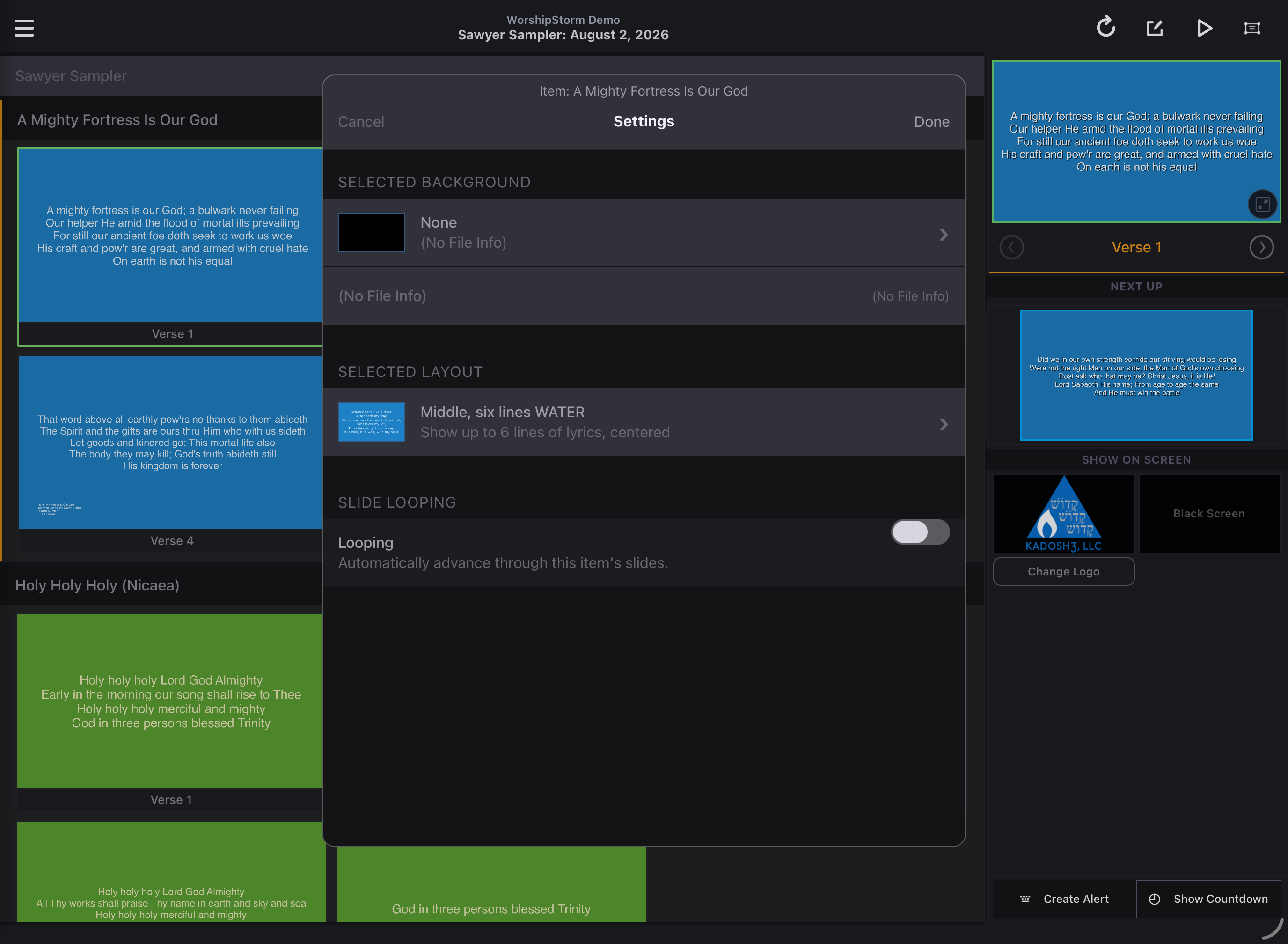
Tap the gear icon to the right of any item to open the settings view.
- Choose an image, video, or slideshow background.
- Select a layout to update the look and number of lines per slide (for Custom Slide or Song items).
- Enable or Disable Automatic Slide Looping for the selected item.
