
Free Trial and Subscribing to Projector Classic
Free 30-day Projector Classic Trial
WorshipStorm Projector Classic provides a free 30-day Trial to use Projector Classic. The trial begins when somebody from your Planning Center Services Organization first logs into Projector Classic. A Projector Trial Details popup will appear each time Projector Classic starts up, as well as daily (if Projector Classic remains running) to notify that the Trial is active and offer the ability to Subscribe, if desired:
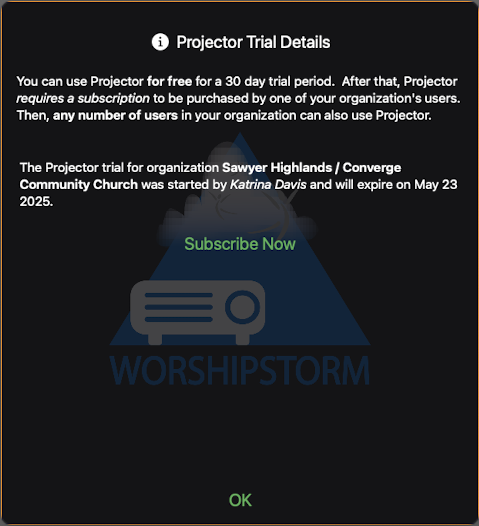
You can also access the Trial screen from Settings -> Projector Trial, allowing you to purchase the Projector Classic subscription at any time during the trial period.
If your organization is in a WorshipStorm Cloud trial
WorshipStorm Cloud is the organization subscription that is bought on the web rather than through the App Store, and it covers Projector Classic as well as Projector Plus. If somebody in your organization started a Cloud trial, Projector Classic recognizes it and runs with full access for as long as it lasts — there is nothing to buy in Projector Classic and nothing to set up.
It is a different thing from the Projector Classic trial above, in the one way that matters: a Cloud trial is already a purchase. A payment method was entered when it was started, and it becomes a paid subscription by itself on the date it ends, unless it is canceled before then. Nobody has to do anything to keep Projector Classic working.
From 2026.0.2, Projector Classic says which one you have. The screen is headed WorshipStorm Cloud Trial Details rather than Projector Trial Details, names your organization and the date the trial ends, and says that it becomes a paid WorshipStorm Cloud subscription on that date. There is a Refresh Subscription Status button where a Subscribe Now button would be:
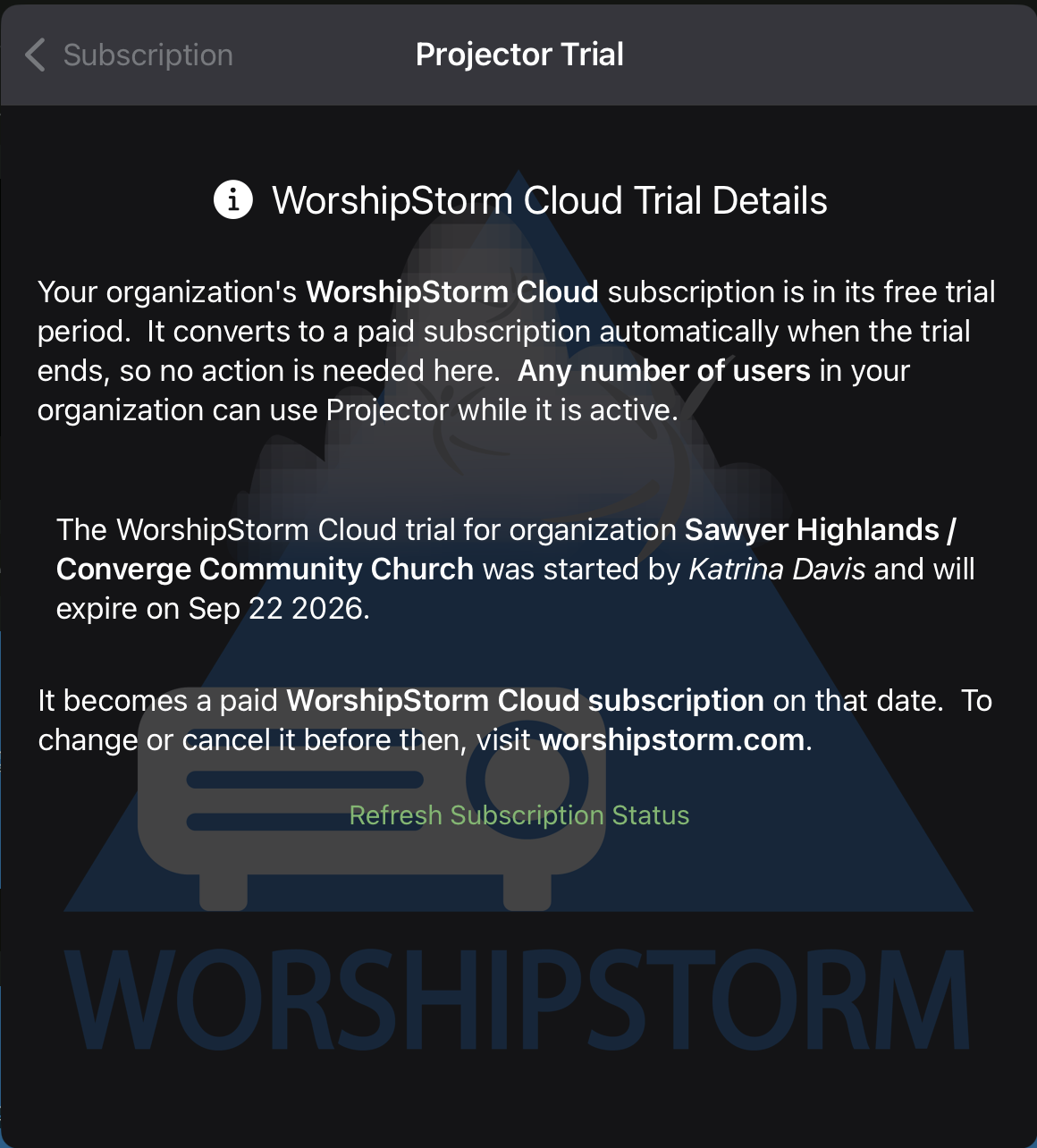
(The title bar reads Projector Trial whichever trial you are in — the heading inside the screen is the part that differs.)
There is also no trial reminder at startup during a running Cloud trial. The reminder exists to offer a subscription, and there is no subscription to offer; the trial converts on its own, and reminders about it come from where it was bought. You can still open the screen whenever you want it, from Settings -> Projector Trial.
Changing or canceling a Cloud trial
The screen points you at worshipstorm.com — which is this site. The portal that actually changes a subscription opens from inside Projector Plus, at projectorplus.worshipstorm.com — open Settings, then Your Plan. Only the Planning Center user who started the trial can change or cancel it; everyone else in the organization can see it but not alter it. The subscription screen names that person, so you know who to ask.
If the trial reads as expired
A Cloud trial normally converts to a paid subscription without anybody doing anything, and Projector Classic picks that up on its own within a few minutes.
If the screen still shows the trial as expired after it should have converted, tap Refresh Subscription Status on that screen. That asks WorshipStorm for the current state of your organization’s subscription instead of waiting for it to arrive — and a conversion that has happened but not yet reached Projector Classic is by far the most likely reason for what you are looking at.
If the trial genuinely did not convert — it was canceled before it ended, or the payment did not go through — your organization needs an active subscription again before Projector Classic will run. See Projector Classic Subscription Troubleshooting.
Subscribing to Projector Classic
After the free 30-day Trial has expired, Projector Classic requires a monthly recurring in-app subscription ($6.99 USD / monthly or $71.99 / annually) to be purchased by one Apple ID that is used by someone your Planning Center Services Organization.
Projector Classic Trial Expired Popup
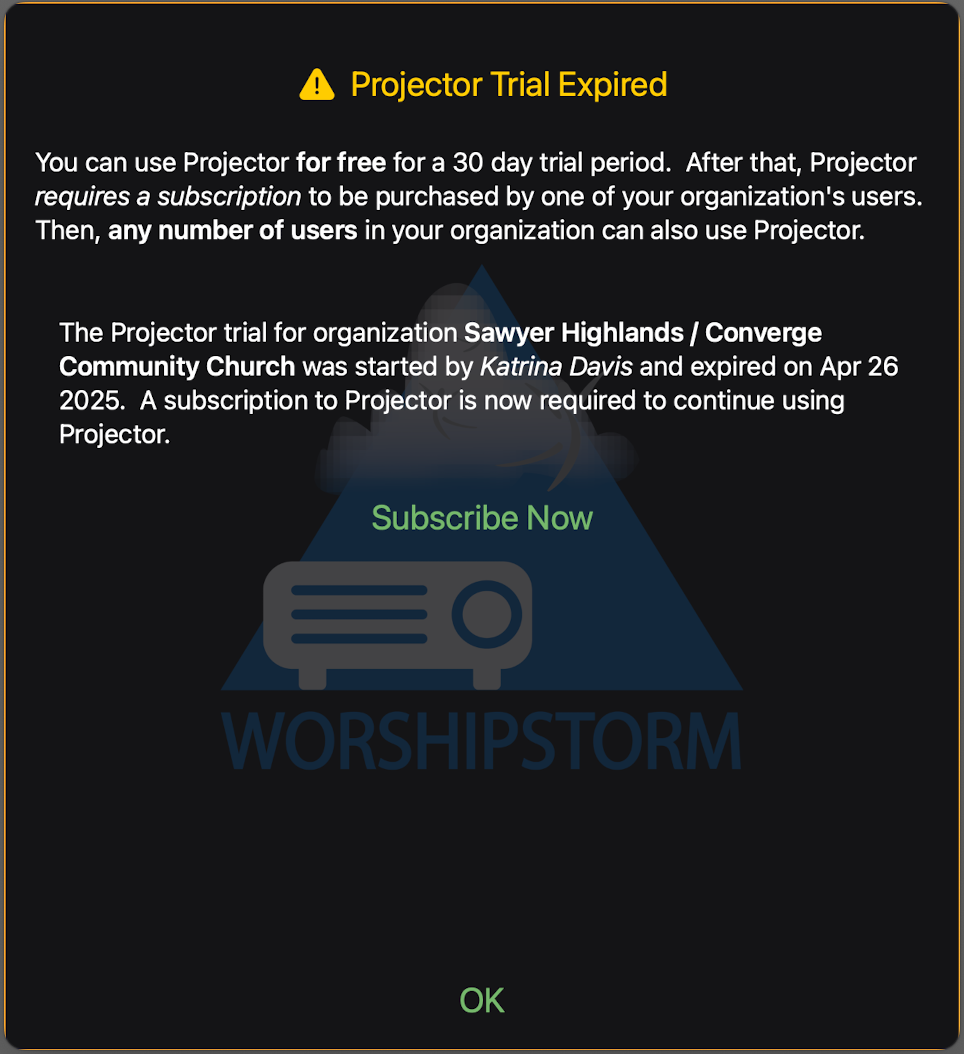
When your organization has not yet subscribed to Projector Classic and the 30-day free trial has expired, a Projector Trial Expired popup will appear requiring that a subscription be purchased:
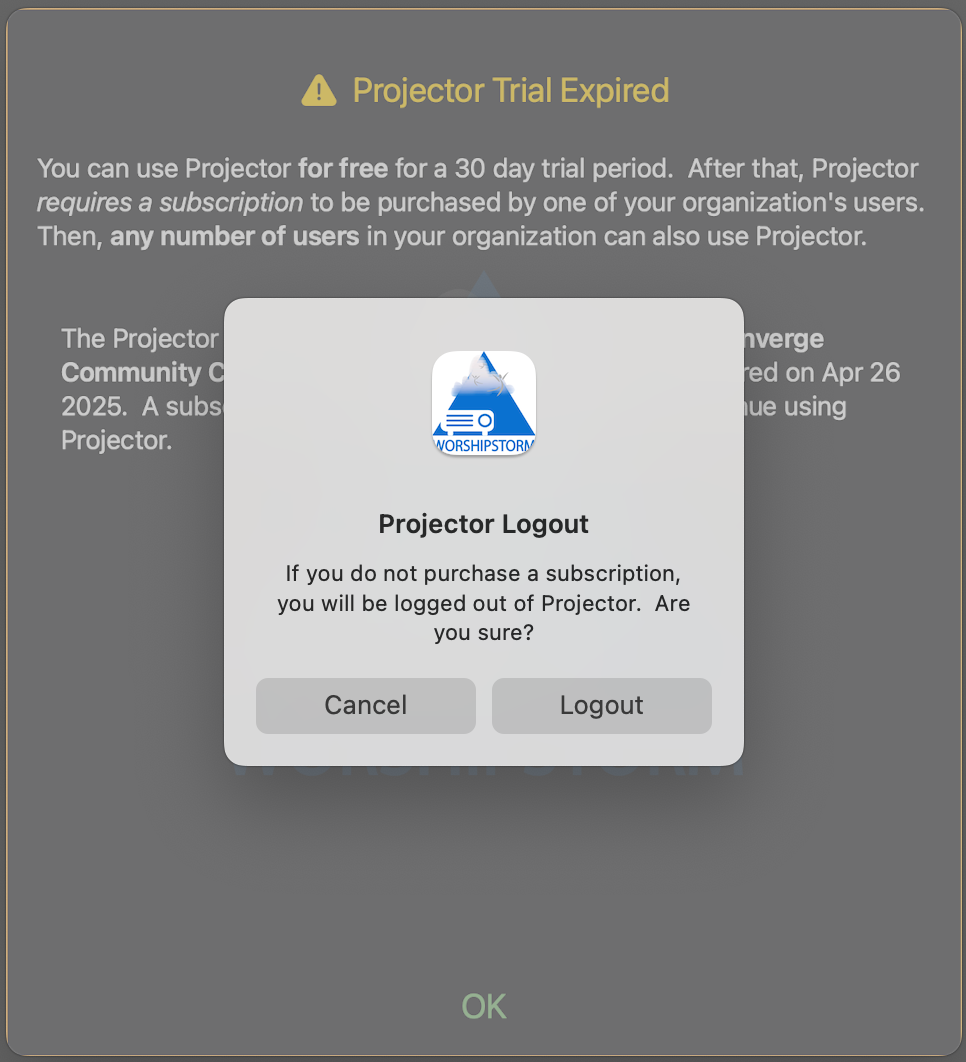
If you don’t click the Subscribe Now button (and click OK), an alert will be presented letting you know that Projector Classic will logout if no subscription is purchased:
When you click the Subscribe Now button (from either the Projector Trial Details or Projector Trial Expired popup), the Projector Classic Subscription screen will appear:
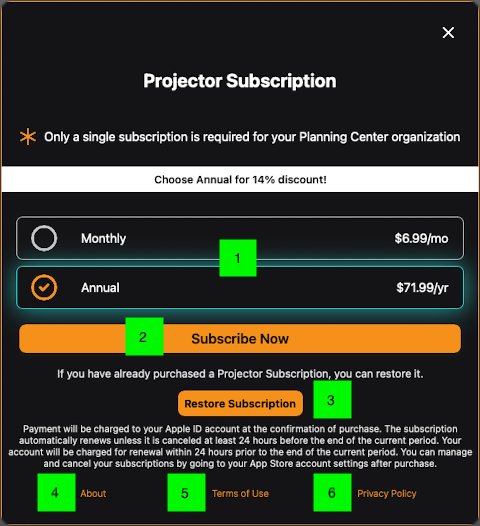
- You can choose between a monthly and annual subscription, with a discount for annual.
- If you click the Subscribe Now button, Projector Classic will present the in-app purchase UI to purchase the Projector Classic subscription for your Planning Center Organization.
- Restore Subscription can be clicked if you already own the Projector Classic subscription for your Planning Center Organization and need to re-register it with WorshipStorm. This is usually something that you would only need to do if instructed to by WorshipStorm support.
- About will open the article that you are now reading.
- Terms of Use will open the article that describes Projector Classic Terms of Use
- Privacy Policy will open the article that gives Projector Classic Privacy Policy
All of the Planning Center Services users in your Organization can use Projector Classic as long as the subscription is active.