
Projector Classic Subscription Troubleshooting
There are a couple of reasons why you might not be able to purchase a Projector Classic Subscription.
iCloud Drive is not enabled on your device
The Apple iCloud Drive feature must be enabled on the device that you are using in order for Projector Classic to purchase a subscription. The following Apple help article gives instructions on how to enable iCloud Drive on your device:
If you do not have iCloud Drive enabled on your device, the Projector Classic Trial Expired screen will not have the Subscribe Now button present, nor will the Projector Classic Subscription Expired screen have the Subscribe Again button. Each screen will have explanatory message indicating that you must enable iCloud Drive on your device in order to purchase a Projector Classic Subscription:
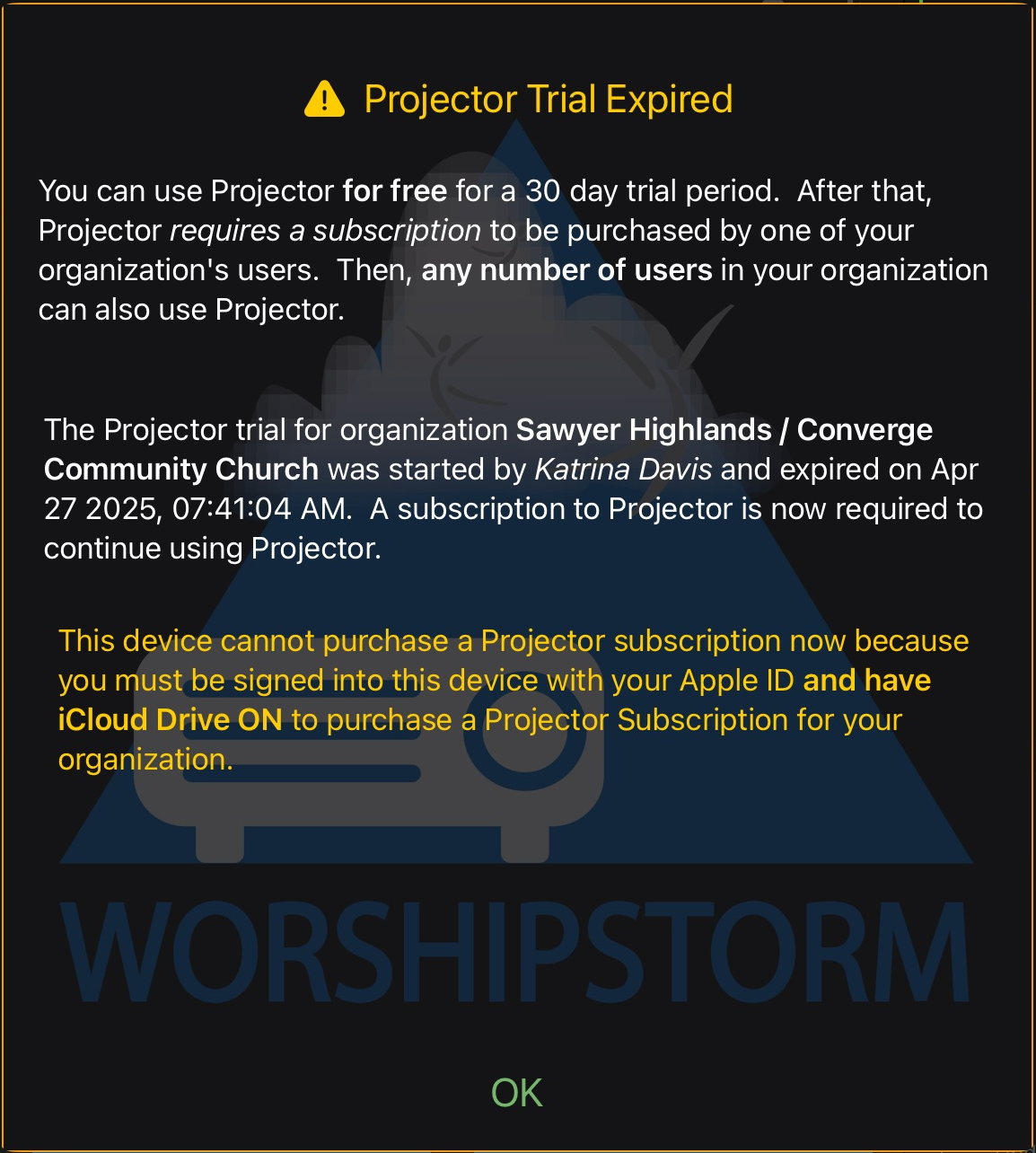
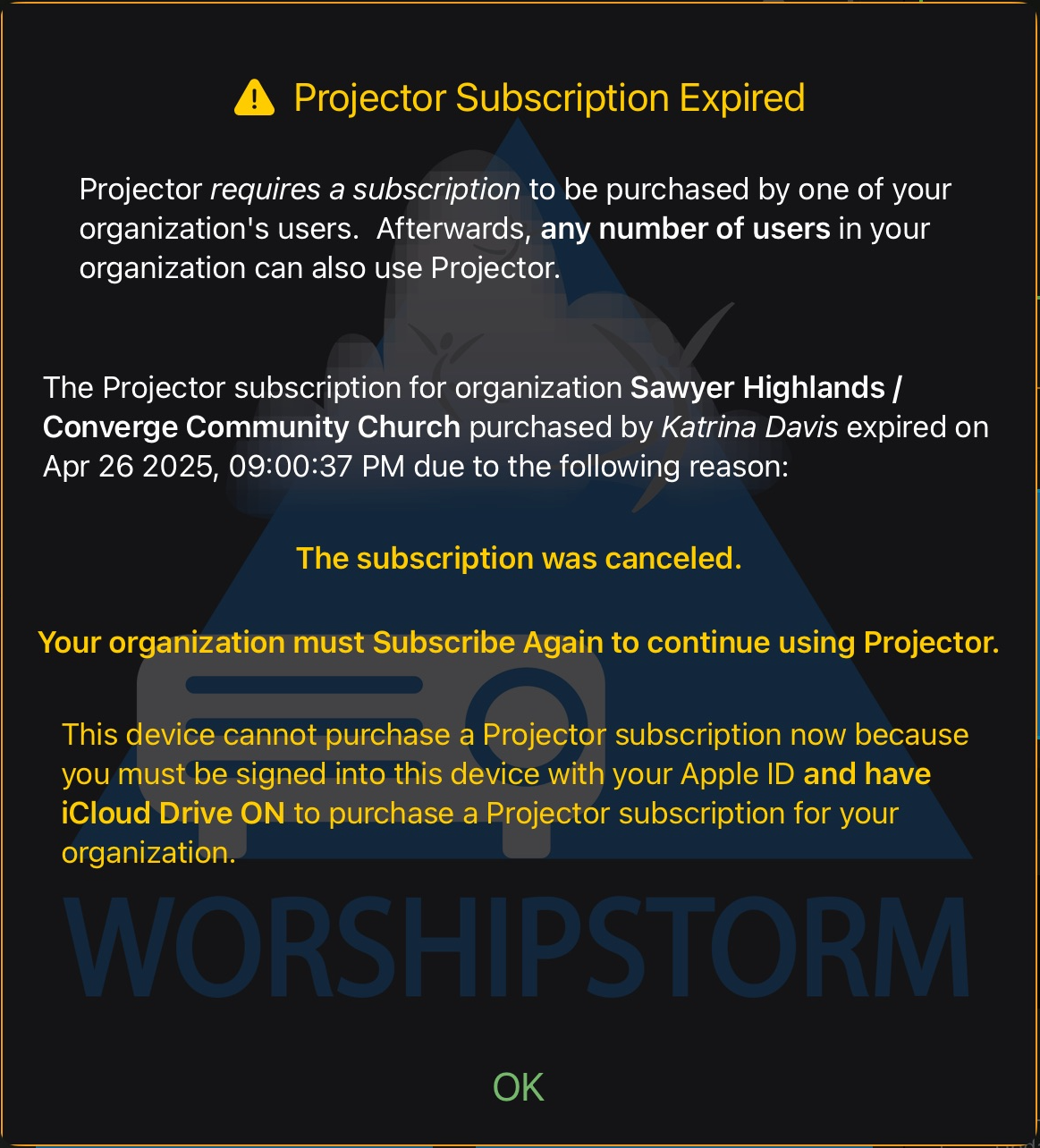
Projector Classic will logout when the screen is dismissed with the OK button.
Solution
You can setup iCloud Drive on your device, restart Projector Classic, and continue to purchase a Projector Classic Subscription if you so desire.
Your Apple ID owns a Projector Classic Subscription for another organization
The Projector Classic Subscription can only be associated with a single Planning Center Services organization. If your Apple ID has already purchased a Projector Classic Subscription for an organization and the subscription is still active, you cannot purchase a separate Projector Classic Subscription for another organization on that Apple ID.
If this is the case, the Projector Classic Trial Expired screen will not have the Subscribe Now button present, nor will the Projector Classic Subscription Expired screen have the Subscribe Again button. Each screen will have explanatory message indicating that your Apple ID has already purchased a Projector Classic Subscription, and will name the organization that it was purchased for:
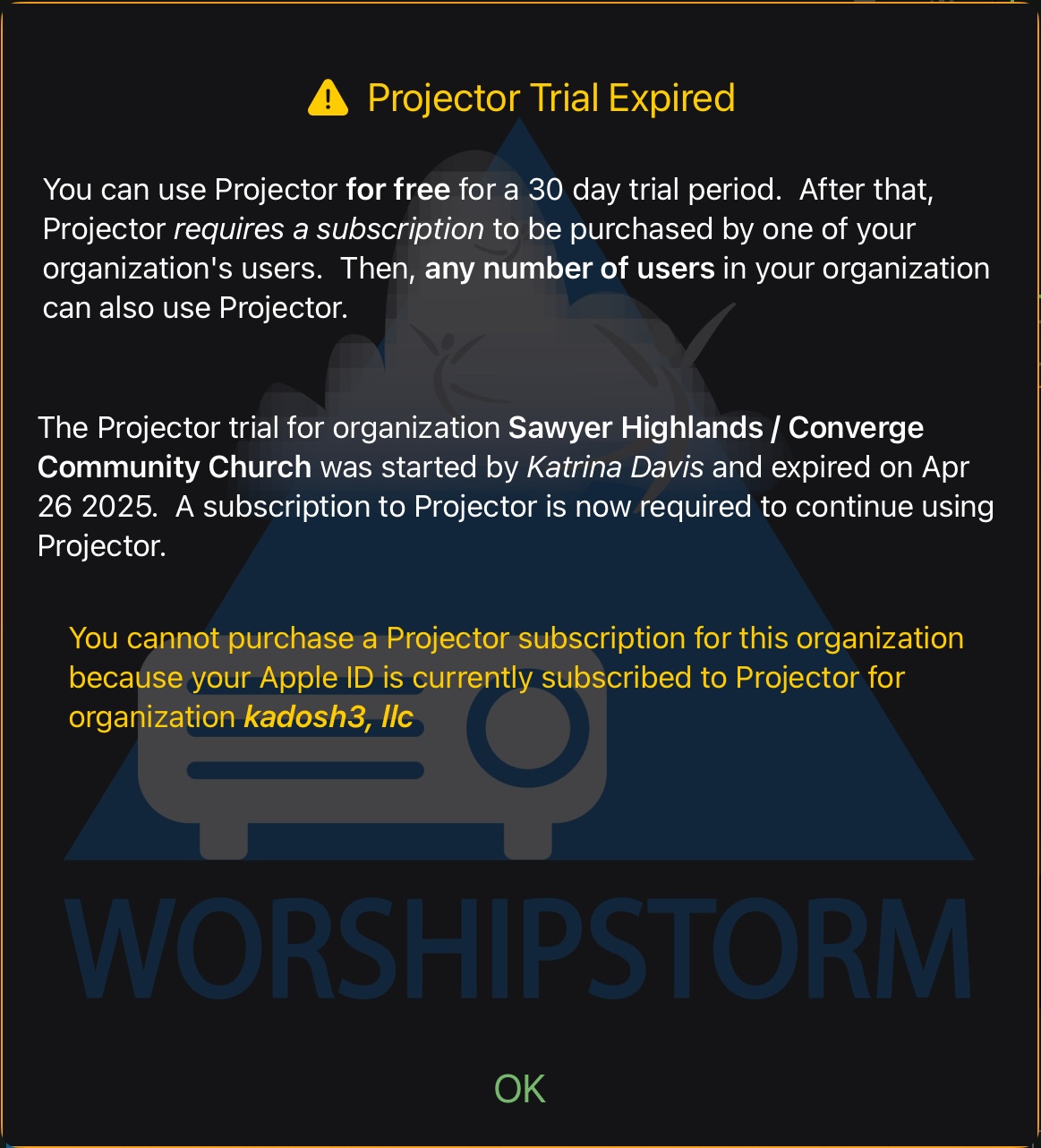
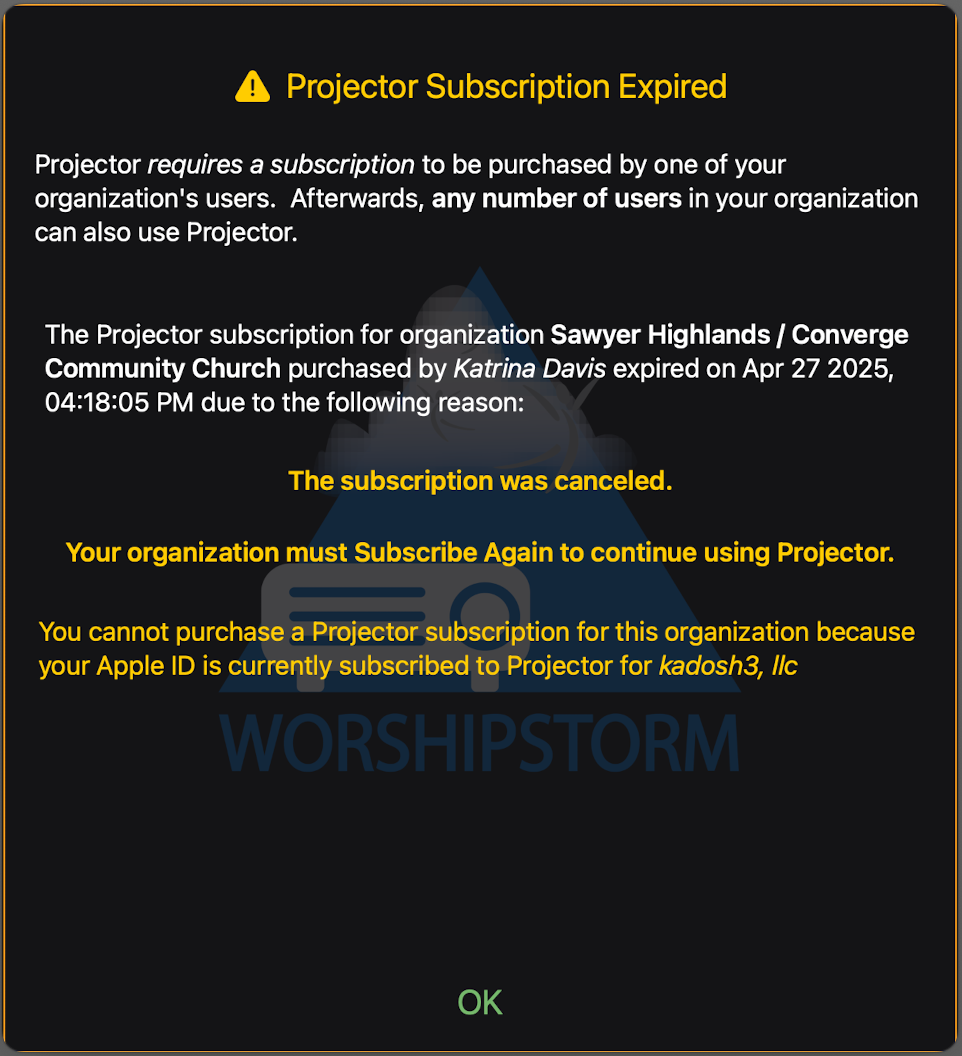
Projector Classic will logout when the screen is dismissed with the OK button.
Solution
You will need to run Projector Classic on a device that is signed into a different Apple ID if you want to purchase a Projector Classic Subscription for the new organization.