
Editing Lyrics & Chords
You can enter or edit lyrics to be used for Projector Classic from within the app itself or on the Planning Center website from the Lyrics & Chords box. This lesson from Planning Center will show you how to edit Lyrics on their website, which is the recommended way to do things, since the website offers previews, more powerful editing, and more.
Additionally, you can take a look at the Lyrics & Chords formatting considerations help article for more information on how to maintain song lyrics that also contains chord or extra information that should not be displayed in Projector Classic.
If you need to make “tweaks” to any song lyrics while running Projector Classic (fixing a typo, adding special Projector Classic codes like ’::’ to force a line break just for Projector Classic slides), we have you covered with the Edit Lyrics feature.
Tap the Song Lyrics icon
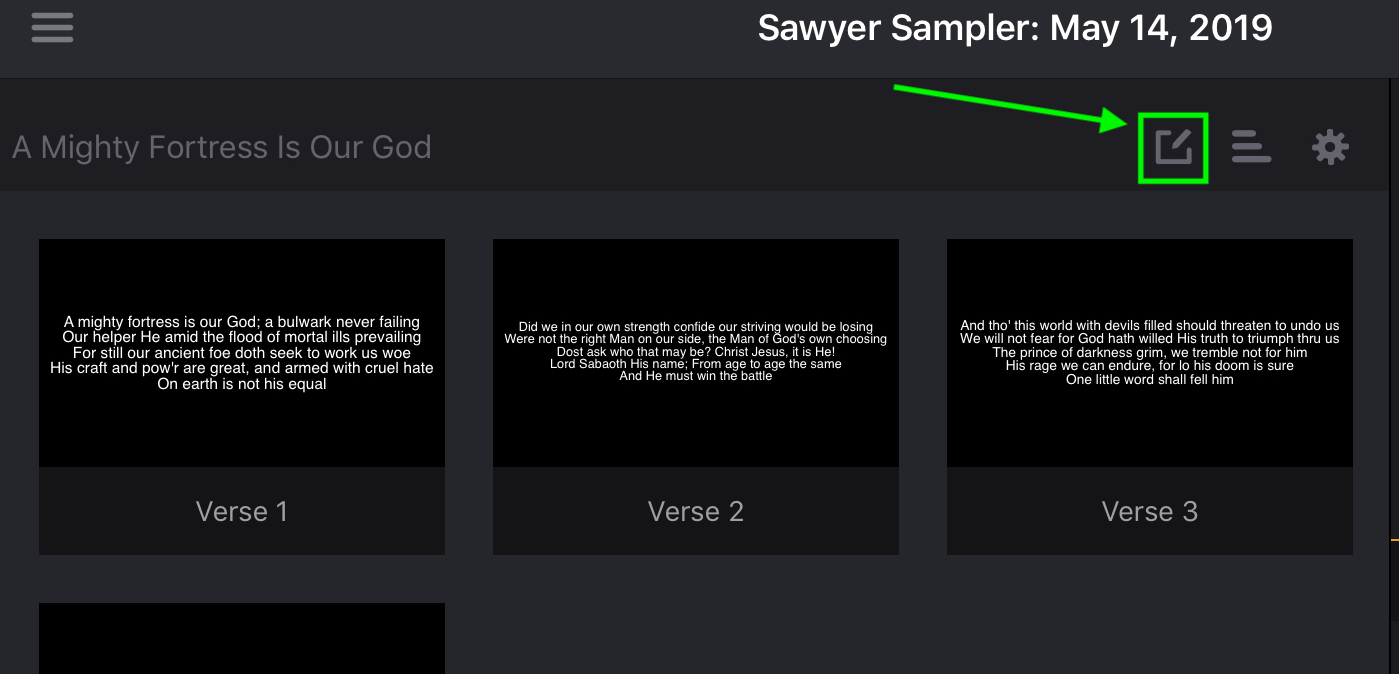 The Song Lyrics icon is only available for song items. If you don’t see this button, most likely you have added a regular item and not a song item.
If the song arrangement has no lyrics
Some arrangements in Planning Center have no Lyrics & Chords at all. Projector Classic cannot build slides from nothing, so rather than show you an empty song it marks that row with a yellow warning icon.
Tap the warning icon and Projector Classic explains the situation: the arrangement has no lyrics, so no slides can be created or displayed for it. Learn More opens the help center; Ok closes the message. Nothing is changed either way — it is an explanation, not a decision.
If you go straight for the Song Lyrics icon instead, Projector Classic shows you the same explanation before opening the editor, with two more choices: Cancel to back out, or Edit Anyway to open the editor regardless — useful when you want to paste the words in yourself.
Editing here fixes the song for this plan. The change that lasts is adding Lyrics & Chords to the arrangement in Planning Center, which every plan using that arrangement then picks up.
Edit Lyrics
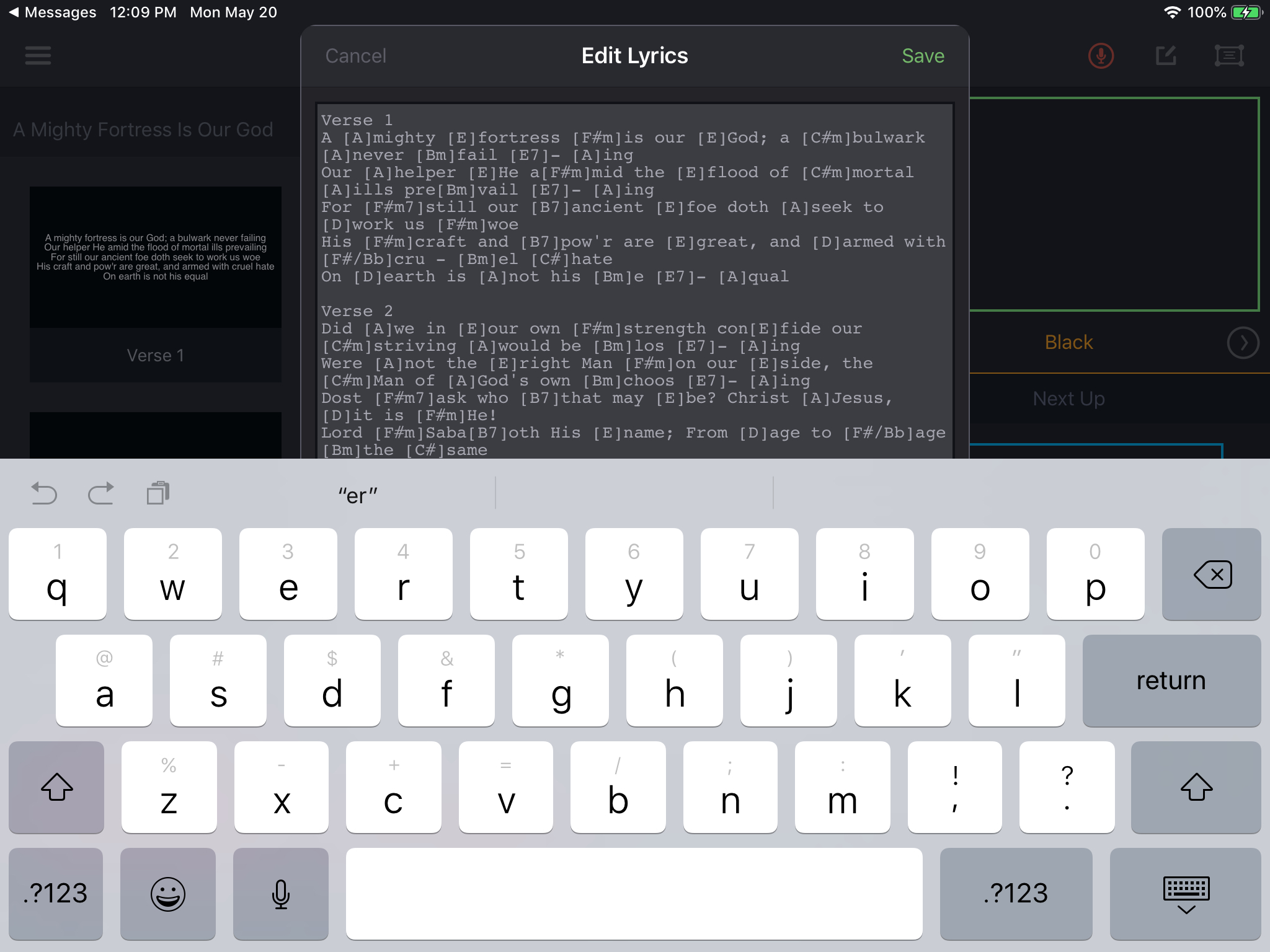
Click Save at the upper right when you are done, or Cancel to abandon any changes that have been made.
Lyrics Are Updated & Slides Regenerated
When you click Save, Projector Classic sends the new Lyrics to the PCO Services cloud, the server strips out any of the section heading or special codes and then sends it back to Projector Classic as new slides.